Consignor Management
Nurture relationships at scale
ConsignCloud tracks every consignor's items, balances, and payouts automatically so you can spend less time on admin and more time on people.

Consignor Management
Nurture relationships at scale
ConsignCloud tracks every consignor's items, balances, and payouts automatically so you can spend less time on admin and more time on people.
Consignor Management
Nurture relationships at scale
ConsignCloud tracks every consignor's items, balances, and payouts automatically so you can spend less time on admin and more time on people.
Less admin. Happier consignors.
Automatic Balance Tracking
Every sale updates the consignor's balance automatically, so the numbers are always right when it's time to pay out.
Flexible Payouts
Pay consignors by cash, check, or ACH, one at a time or in bulk quantities.
Consignor Portal
Give every consignor their own login to check their balance, view their items, or submit new inventory.
Automated Email Notifications
Keep consignors in the loop with automatic updates when their items sell, expire, or need to be picked up.
Customizable Terms
Set default splits, expiration rules, and payout preferences per consignor, and override them on individual items whenever you need to.
Notes & Attachments
Store contracts and notes directly on a consignor's account so your whole team has the context they need.
Store Credit Bonuses
Offer a store credit bonus to keep consignors spending in your store, or set a cash payout penalty, whichever fits your store.
Consignor Fees
Charge rack rent, cleaning fees, or any other deduction. Set recurring fees per consignor or apply one-off charges manually via balance adjustments.
Turn your consignors into fans (and friends)
Balances that calculate themselves
When a consignment item sells, the consignor's share is calculated automatically based on their split and their balance updates immediately.
Real-time balance updates
Automatic split calculations
Full balance history and audit
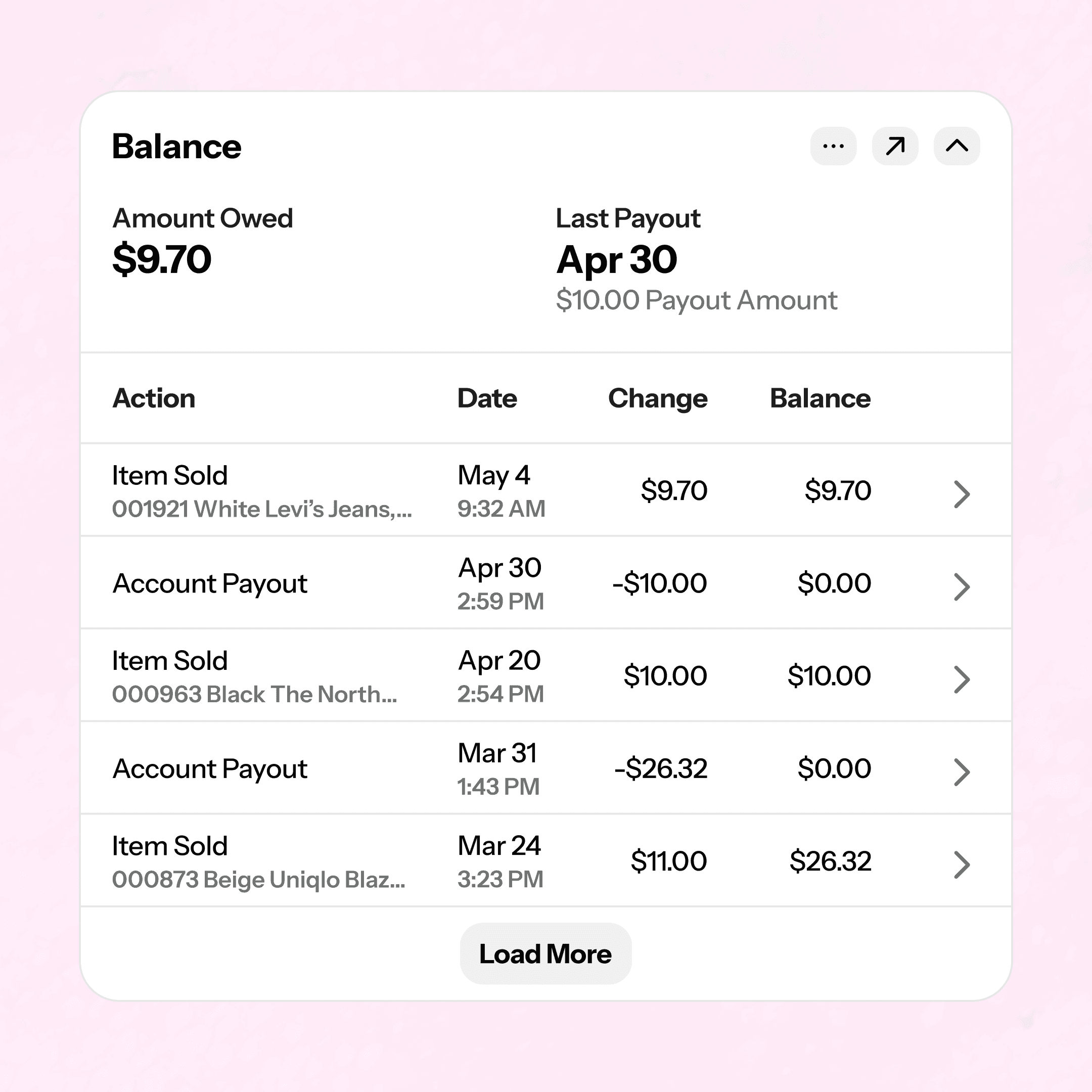
Balances that calculate themselves
When a consignment item sells, the consignor's share is calculated automatically based on their split and their balance updates immediately.
Real-time balance updates
Automatic split calculations
Full balance history and audit
Balances that calculate themselves
When a consignment item sells, the consignor's share is calculated automatically based on their split and their balance updates immediately.
Real-time balance updates
Full balance history and audit
Payouts made easy
Pay out who you want, when you want, how you want. You're in control.
Bulk or individual payouts
Pay out by date, full balance, or partial payout via a manual adjustment
Cash, check, ACH, or custom payout types
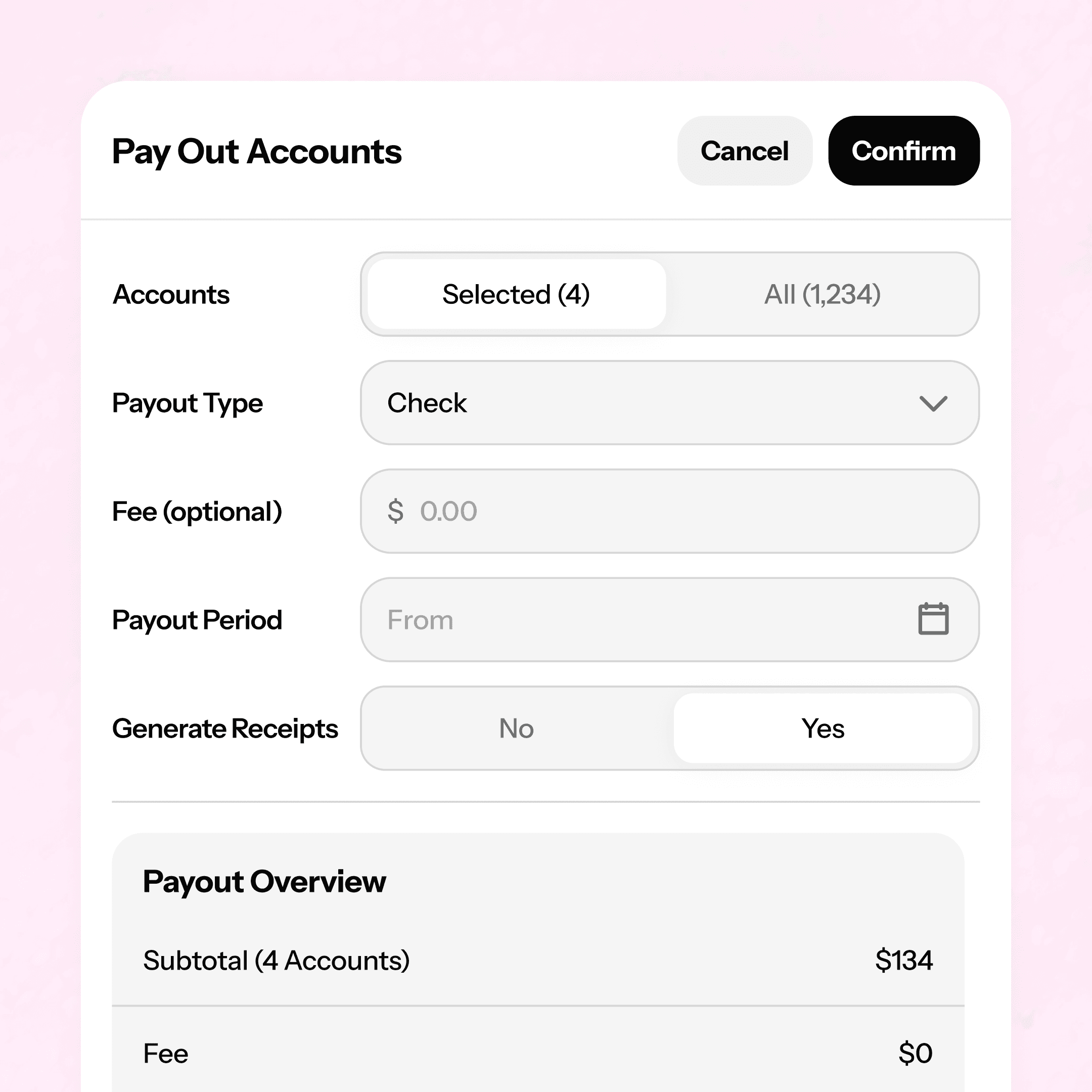
Payouts made easy
Pay out who you want, when you want, how you want. You're in control.
Bulk or individual payouts
Pay out by date, full balance, or partial payout via a manual adjustment
Cash, check, ACH, or custom payout types
Payouts made easy
Pay out who you want, when you want, how you want. You're in control.
Bulk or individual payouts
Pay out by date, full balance, or partial payout via a manual adjustment
Cash, check, ACH, or custom payout types
Keep them in the loop
Build trust with your consignors by keeping them automatically informed with email templates or by giving them a branded portal login to check in on their items whenever they want.
Automated email communication
Store-branded consignor portal
Optional consignor item submission
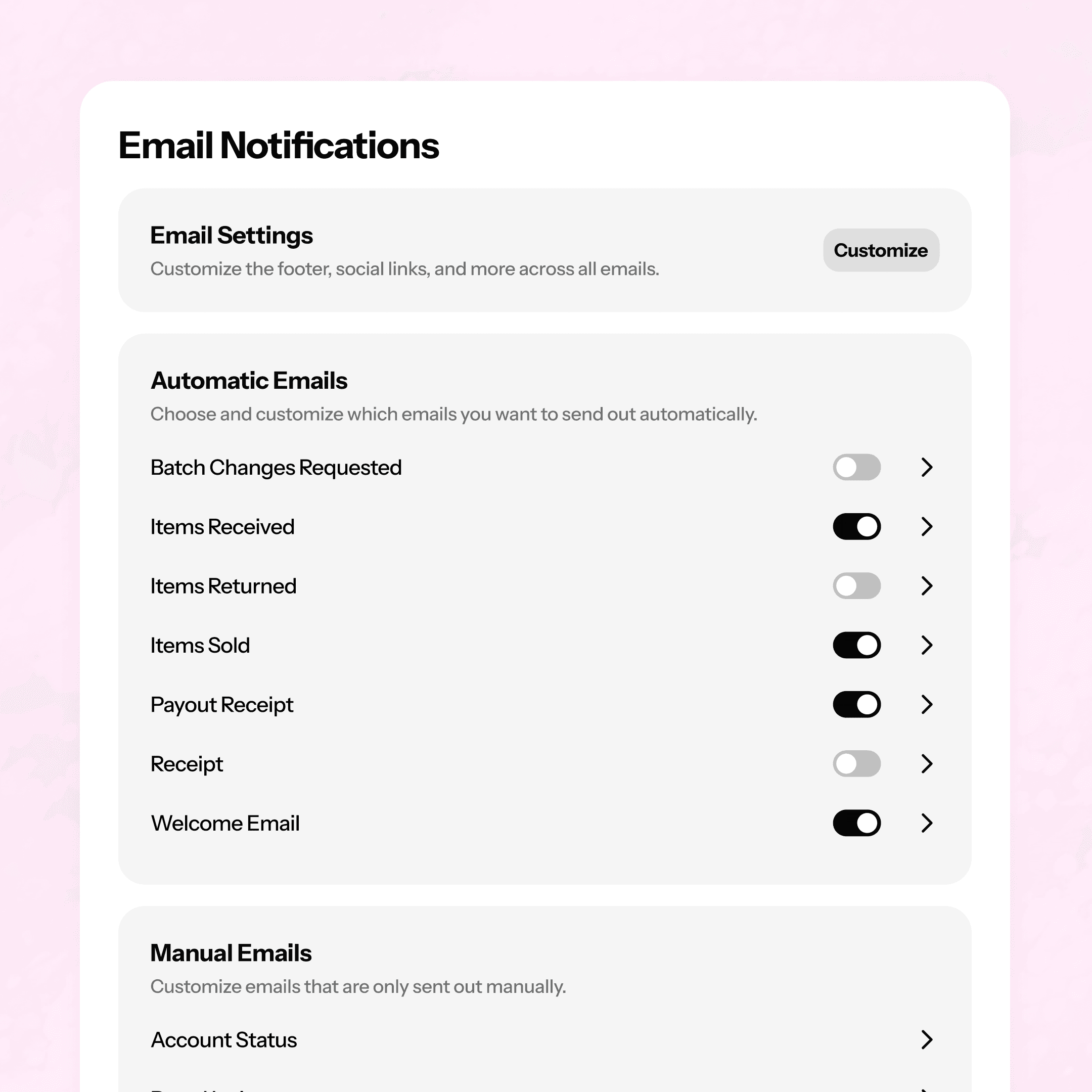
Keep them in the loop
Build trust with your consignors by keeping them automatically informed with email templates or by giving them a branded portal login to check in on their items whenever they want.
Automated email communication
Store-branded consignor portal
Optional consignor item submission
Keep them in the loop
Build trust with your consignors by keeping them automatically informed with email templates or by giving them a branded portal login to check in on their items whenever they want.
Automated email communication
Store-branded consignor portal
Optional consignor item submission
Know what sells. Ask for more of it.
Use ConsignCloud's inventory insights to find out what items and brands are flying off the racks, then share with your consignors to let them know what to bring in more of.
Inventory insights report
Guide consignor conversations
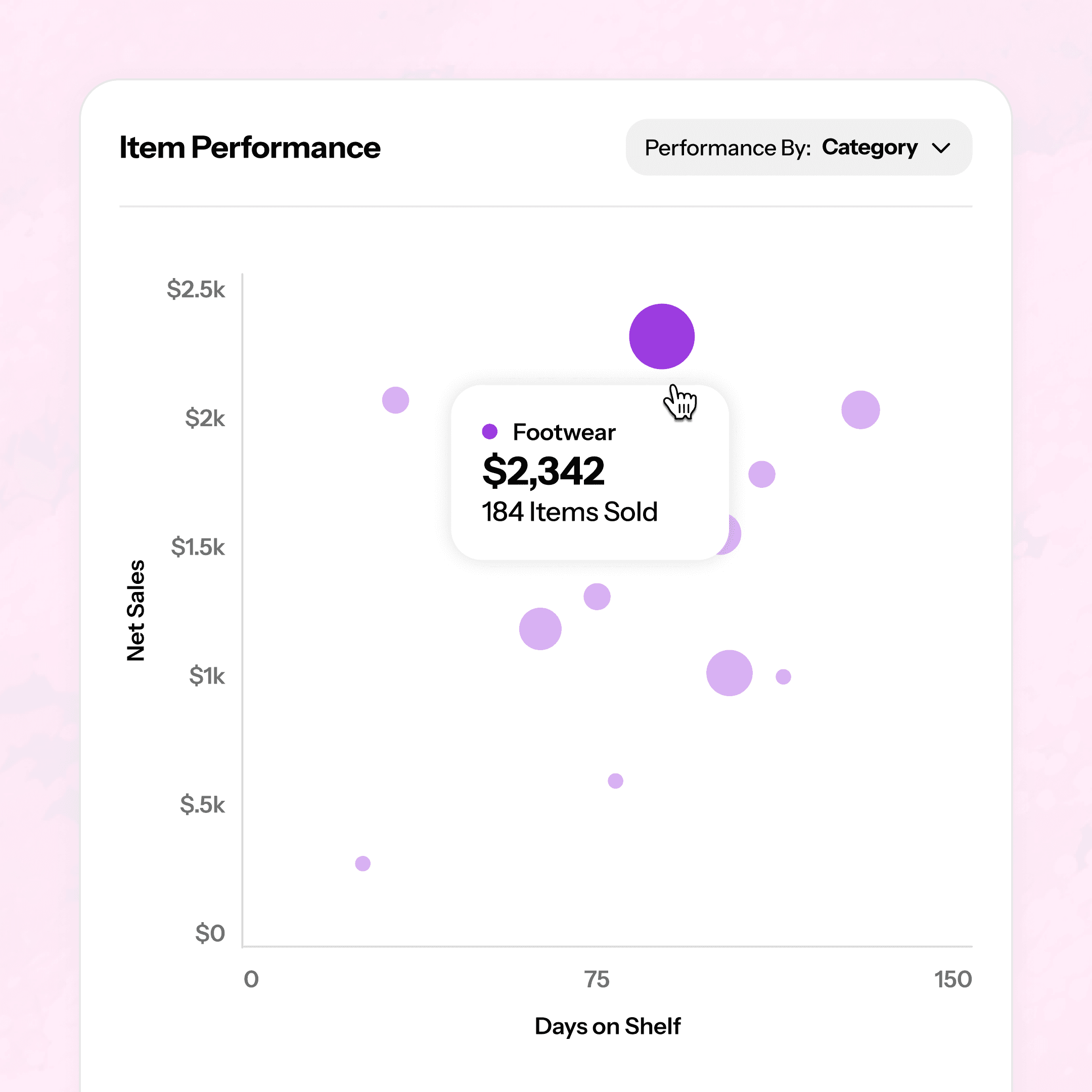
Know what sells. Ask for more of it.
Use ConsignCloud's inventory insights to find out what items and brands are flying off the racks, then share with your consignors to let them know what to bring in more of.
Inventory insights report
Guide consignor conversations
Know what sells. Ask for more of it.
Use ConsignCloud's inventory insights to find out what items and brands are flying off the racks, then share with your consignors to let them know what to bring in more of.
Inventory insights report
Guide consignor conversations
From first drop-off to first payout
STEP 1
Create the account
Add a consignor in seconds with whatever info you want to capture (name, email, phone, split, and more).

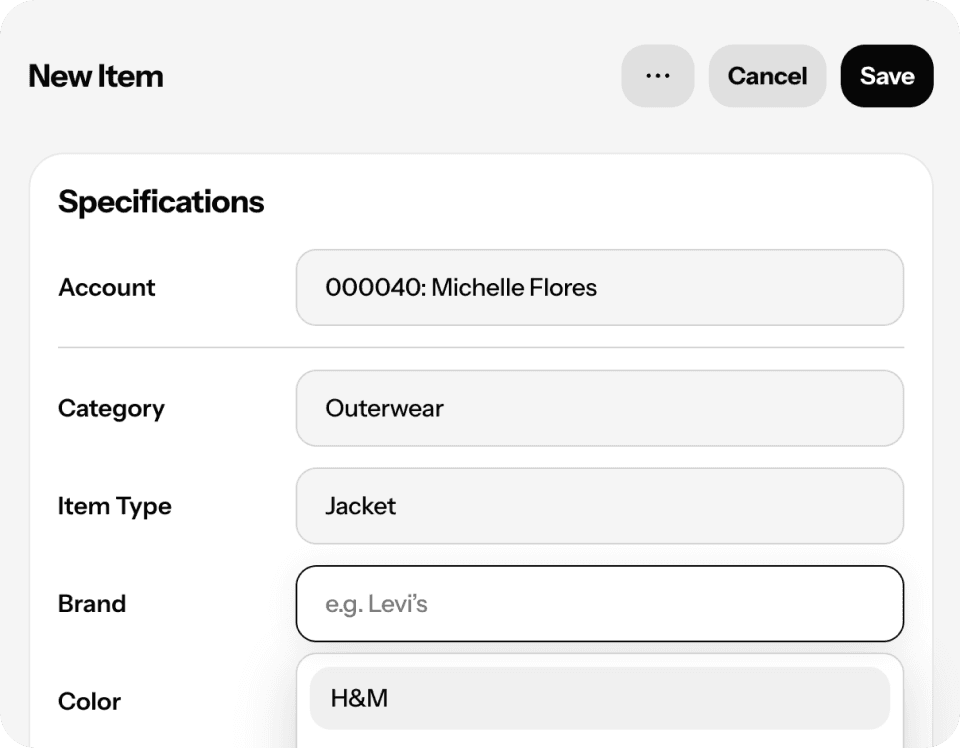
Step 2
Add their inventory
Attach items to the account manually, in batches, or let consignors submit their own through the portal. ConsignCloud pulls in their default split and expiration terms automatically.
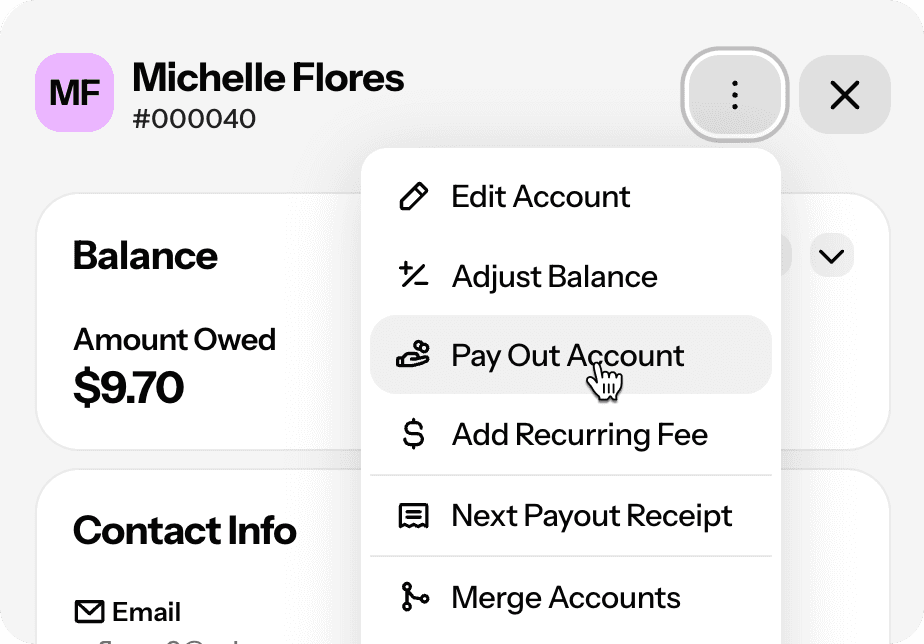
Step 3
Sell, track, and pay out
As items sell, balances update on their own. Pay out one at a time or in bulk — receipts included.
From first drop-off to first payout
STEP 1
Create the account
Add a consignor in seconds with whatever info you want to capture (name, email, phone, split, and more).
Step 2
Add their inventory
Attach items to the account manually, in batches, or let consignors submit their own through the portal. ConsignCloud pulls in their default split and expiration terms automatically.
Step 3
Sell, track, and pay out
As items sell, balances update on their own. Pay out one at a time or in bulk — receipts included.
From first drop-off to first payout
STEP 1
Create the account
Add a consignor in seconds with whatever info you want to capture (name, email, phone, split, and more).
Step 2
Add their inventory
Attach items to the account manually, in batches, or let consignors submit their own through the portal. ConsignCloud pulls in their default split and expiration terms automatically.
Step 3
Sell, track, and pay out
As items sell, balances update on their own. Pay out one at a time or in bulk — receipts included.
FAQs
How does ConsignCloud calculate consignor balances?
When an item sells, ConsignCloud automatically calculates the consignor's share based on their split and credits their account immediately. You can also make manual adjustments anytime — every change includes a memo that shows up on their next payout receipt. Learn more about paying out account balances.
Can different consignors have different splits?
Yep! Each account has its own default split, and you can override it on any individual item at intake. Learn more about account settings.
What is the Consignor Portal?
A branded, self-service website where consignors log in to check their balance, see which items have sold, and track what's still on the floor. You control how much they can see and do (item submission and price breakdowns can both be toggled on or off). Learn more about the Consignor Portal. This is also different than Vendor Login.
Can consignors submit their own items?
They sure can! If you enable item submission in the Consignor Portal, consignors can enter items before bringing them in. You review and approve everything before it goes live in your inventory.
Can I pay out all my consignors at once?
Absolutely! Filter by balance, pick a payout date, choose a payment method, and settle everyone in a few clicks. You can even set up ACH transfer to have the money pull from your bank account and get sent directly to your consignors. (ACH Fee is $2.50/transfer.)
Can I incentivize consignors to take store credit instead of cash?
ConsignCloud supports a credit bonus (consignors get a little extra when they spend their balance in-store) or a cash payout penalty. Most stores find the credit bonus is the better consignor experience. Both are configurable in your store settings. Learn more here.
FAQs
How does ConsignCloud calculate consignor balances?
When an item sells, ConsignCloud automatically calculates the consignor's share based on their split and credits their account immediately. You can also make manual adjustments anytime — every change includes a memo that shows up on their next payout receipt. Learn more about paying out account balances.
Can different consignors have different splits?
Yep! Each account has its own default split, and you can override it on any individual item at intake. Learn more about account settings.
What is the Consignor Portal?
A branded, self-service website where consignors log in to check their balance, see which items have sold, and track what's still on the floor. You control how much they can see and do (item submission and price breakdowns can both be toggled on or off). Learn more about the Consignor Portal. This is also different than Vendor Login.
Can consignors submit their own items?
They sure can! If you enable item submission in the Consignor Portal, consignors can enter items before bringing them in. You review and approve everything before it goes live in your inventory.
Can I pay out all my consignors at once?
Absolutely! Filter by balance, pick a payout date, choose a payment method, and settle everyone in a few clicks. You can even set up ACH transfer to have the money pull from your bank account and get sent directly to your consignors. (ACH Fee is $2.50/transfer.)
Can I incentivize consignors to take store credit instead of cash?
ConsignCloud supports a credit bonus (consignors get a little extra when they spend their balance in-store) or a cash payout penalty. Most stores find the credit bonus is the better consignor experience. Both are configurable in your store settings. Learn more here.
FAQs
How does ConsignCloud calculate consignor balances?
When an item sells, ConsignCloud automatically calculates the consignor's share based on their split and credits their account immediately. You can also make manual adjustments anytime — every change includes a memo that shows up on their next payout receipt. Learn more about paying out account balances.
Can different consignors have different splits?
Yep! Each account has its own default split, and you can override it on any individual item at intake. Learn more about account settings.
What is the Consignor Portal?
A branded, self-service website where consignors log in to check their balance, see which items have sold, and track what's still on the floor. You control how much they can see and do (item submission and price breakdowns can both be toggled on or off). Learn more about the Consignor Portal. This is also different than Vendor Login.
Can consignors submit their own items?
They sure can! If you enable item submission in the Consignor Portal, consignors can enter items before bringing them in. You review and approve everything before it goes live in your inventory.
Can I pay out all my consignors at once?
Absolutely! Filter by balance, pick a payout date, choose a payment method, and settle everyone in a few clicks. You can even set up ACH transfer to have the money pull from your bank account and get sent directly to your consignors. (ACH Fee is $2.50/transfer.)
Can I incentivize consignors to take store credit instead of cash?
ConsignCloud supports a credit bonus (consignors get a little extra when they spend their balance in-store) or a cash payout penalty. Most stores find the credit bonus is the better consignor experience. Both are configurable in your store settings. Learn more here.



Ready to get started?
Features
Integrations
Features
Integrations
Features
Integrations