Updates
Discounts

Discounts just got a major upgrade, right in time for the holidays. A new Discount To option lets you set a flat sale price, great for clearance bins. Timing rules let you schedule sales by day, hour, or date range, perfect for weekend sales and Black Friday. Exclusion rules let you leave out specific accounts, categories, and more. And it's easier than ever to create a new discount with one-click templates for common rule sets like discount schedules and BOGOs.
Pricing Guide

Speed up item intake and set consistent pricing standards across your store with the pricing guide. Start by ranking all of your brands into different levels then define prices for each brand level across your store categories. Make quick adjustments in seconds with the pricing helper and enable any employee to price items without sacrificing accuracy.
Specs Manager

With the new Specs Manager, you can fine-tune your Categories, Item Types, Brands, Sizes, and Colors all in one place. Whether you're tightening up an overgrown list or building a fresh structure from scratch, the Specs Manager gives you the clarity and control you need to keep your inventory running smoothly. Check it out now under Settings → Specs Manager
Bulk Delete

This one is pretty self-explanatory — you can now bulk delete your inventory by selecting multiple items and clicking delete. We'll always ask you to type in the word DELETE to avoid accidental clicks ruining your day.
Integrated ACH Payouts

ACH payouts are back and now they are fully set up through ConsignCloud! The cost is $2.50 per payout and transfers will typically land in 2-4 business days. To speed up the process, you can also pre-fund your wallet for transfers as fast as one business day. Get started by visiting Settings → Payouts and clicking the "Set Up" button next to Integrated ACH. You'll be walked through the setup and verification process and once that's complete, you'll be ready to go!
ConsignCloud Academy

We just launched ConsignCloud Academy! The best place to learn how to use ConsignCloud and how to run your resale business. Completely free for anyone to use. Our first course is called ConsignCloud Fundamentals and goes over the basics of how to get started in in the software. Keep an eye out for more courses coming soon!
New Receipt Design
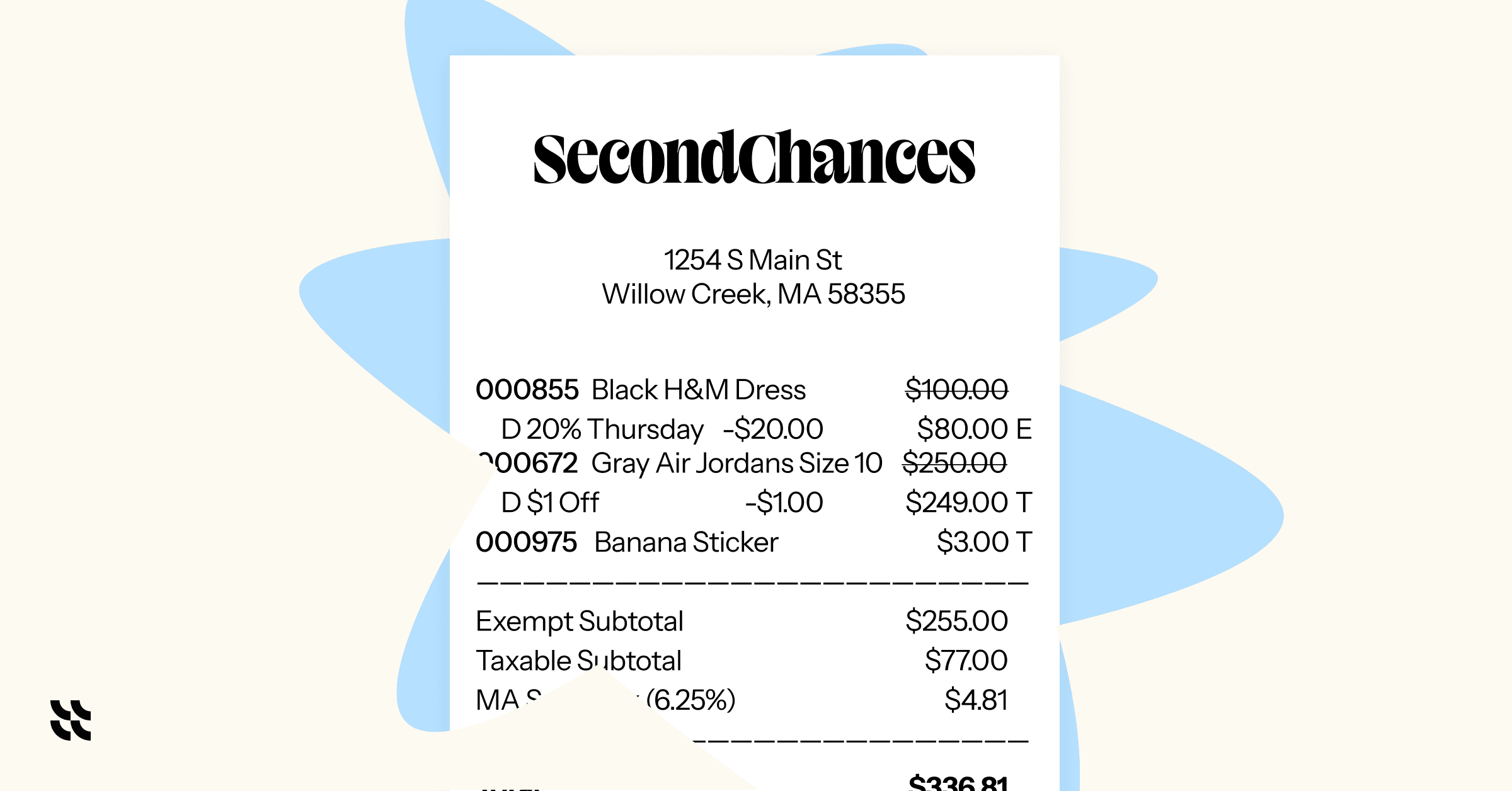
We heard from a lot of you that our receipts were too long — even “CVS long.” Additionally, they didn’t always make it clear how discounts were applied. Our new default receipt addresses both of these issues and also makes taxes and tax exemptions clearer.
Layaway

With layaway, you can now let customers pay for their items over time. Set a minimum down payment, choose whether layaways expire, and automatically send reminder emails before they’re due. Enable it now in Next Gen ConsignCloud under Settings → Point of Sale.
ConsignCloud has been around for over 15 years, but we just started this change log. Congrats on making it to the end! Here's a slice of pizza 🍕