Vendor Mall Software
Software built for vendor malls
Everything your vendor mall needs — centralized checkout, automated booth rental fees, vendor payments, and self-serve vendor logins — all in one place.
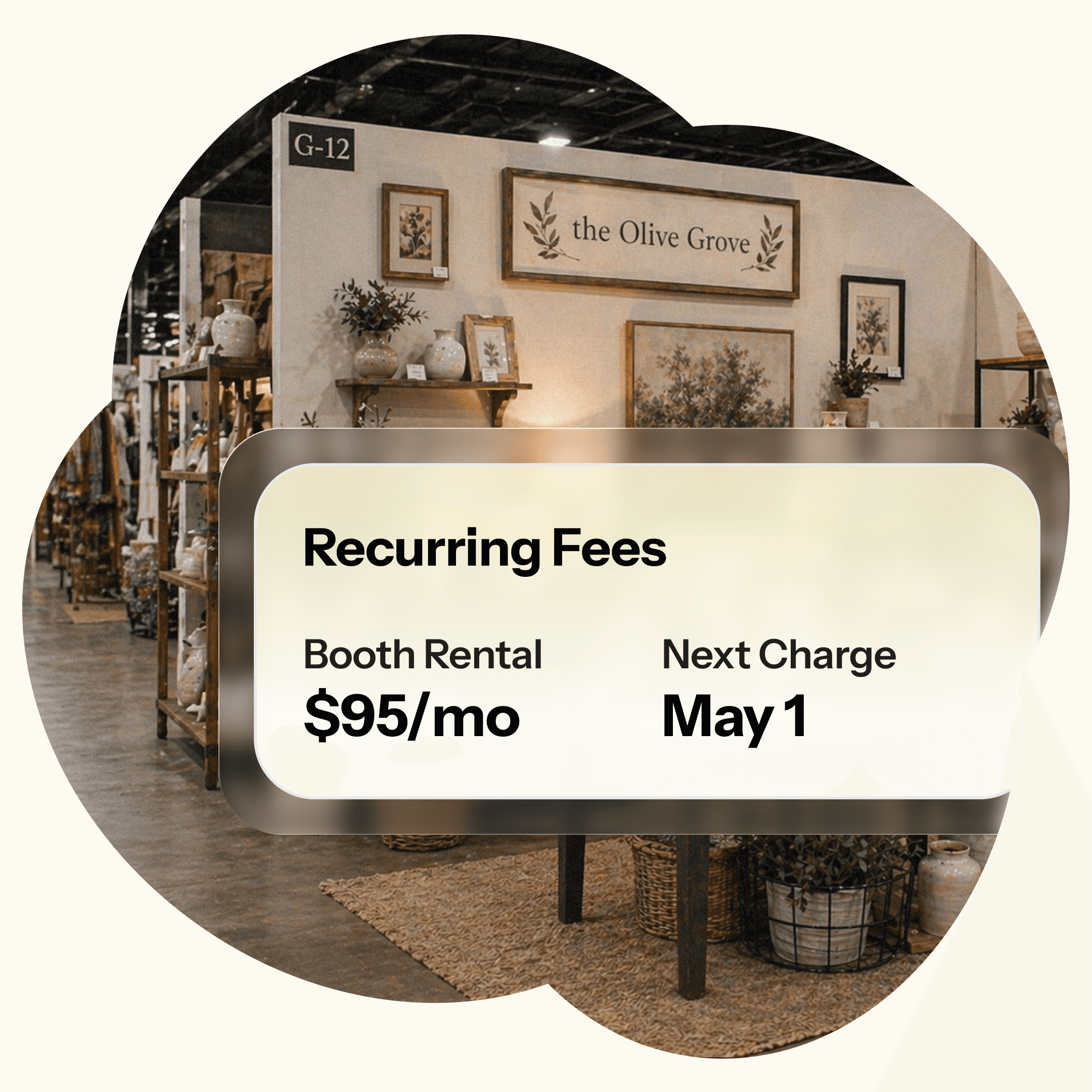
Vendor Mall Software
Software built for vendor malls
Everything your vendor mall needs — centralized checkout, automated booth rental fees, vendor payments, and self-serve vendor logins — all in one place.
Vendor Mall Software
Software built for vendor malls
Everything your vendor mall needs — centralized checkout, automated booth rental fees, vendor payments, and self-serve vendor logins — all in one place.
Run your mall with total confidence
Centralized Checkout
Every vendor's items can ring up through one point of sale for a seamless shopping experience.
Vendor Login
Give each vendor their own login so they can enter inventory, set prices, print labels, and track their own sales.
Automated Booth Rental Fees
Set recurring fees on a weekly or monthly schedule and ConsignCloud deducts them automatically from each vendor's balance.
Vendor Payouts
Pay your vendors individually or in bulk, with optional fees to cover processing costs and a clear receipt every time.
Vendor Sales Reporting
You can see vendor performance across your entire store, while every vendor sees their own sales, active items, and account balance.
Flexible Permissions
You control what vendors can and can't do: which item fields they can use, what labels are available to them, and more.
Less friction, more selling
Many vendors, one checkout
Customers don't care whose booth something came from and with ConsignCloud, your POS doesn't either. Ring up items from across your entire store in a single transaction, and ConsignCloud automatically routes each sale to the right vendor's account.
Single register for all vendors
Automatic vendor sale attribution
No end-of-day manual splitting
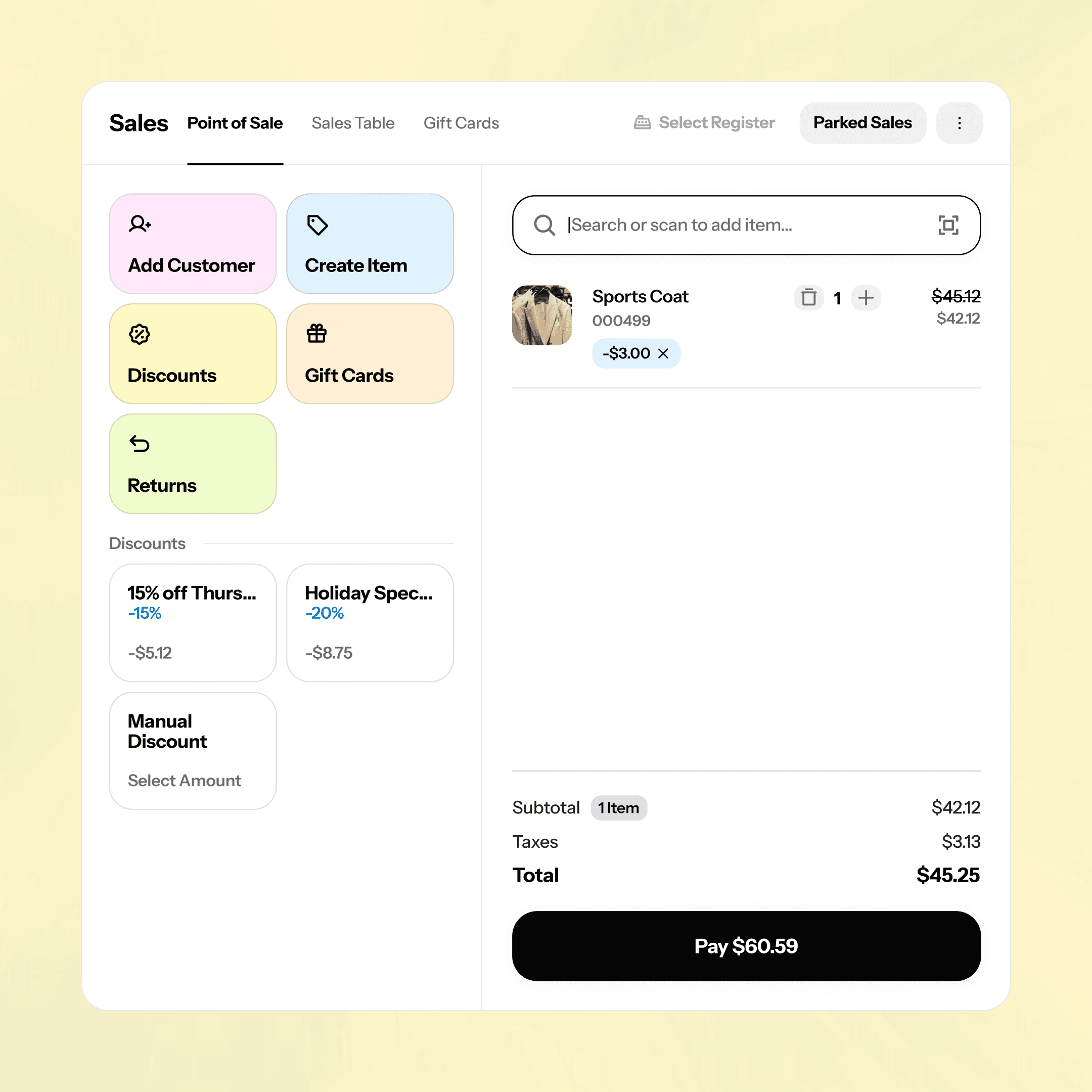
Many vendors, one checkout
Customers don't care whose booth something came from and with ConsignCloud, your POS doesn't either. Ring up items from across your entire store in a single transaction, and ConsignCloud automatically routes each sale to the right vendor's account.
Single register for all vendors
Automatic vendor sale attribution
No end-of-day manual splitting
Many vendors, one checkout
Customers don't care whose booth something came from and with ConsignCloud, your POS doesn't either. Ring up items from across your entire store in a single transaction, and ConsignCloud automatically routes each sale to the right vendor's account.
Single register for all vendors
No end-of-day manual splitting
Let vendors run their own show
Vendor login gives each seller their own dashboard to enter inventory, price their items, print tags, and check their sales without ever needing to call you. You stay in control of the big picture; they handle their booth.
Vendors enter their own inventory
Self-serve label printing
Sales and balance visibility

Let vendors run their own show
Vendor login gives each seller their own dashboard to enter inventory, price their items, print tags, and check their sales without ever needing to call you. You stay in control of the big picture; they handle their booth.
Vendors enter their own inventory
Self-serve label printing
Sales and balance visibility
Let vendors run their own show
Vendor login gives each seller their own dashboard to enter inventory, price their items, print tags, and check their sales without ever needing to call you. You stay in control of the big picture; they handle their booth.
Vendors enter their own inventory
Self-serve label printing
Sales and balance visibility
Booth rental on autopilot
Stop chasing down booth fees. Set a recurring fee once — weekly, biweekly, or monthly — and ConsignCloud deducts it from the vendor's balance automatically. It shows up clearly on their payout receipt so there are never any surprises.
Scheduled weekly or monthly fees
Auto-deducted from vendor balance
Itemized on payout receipts
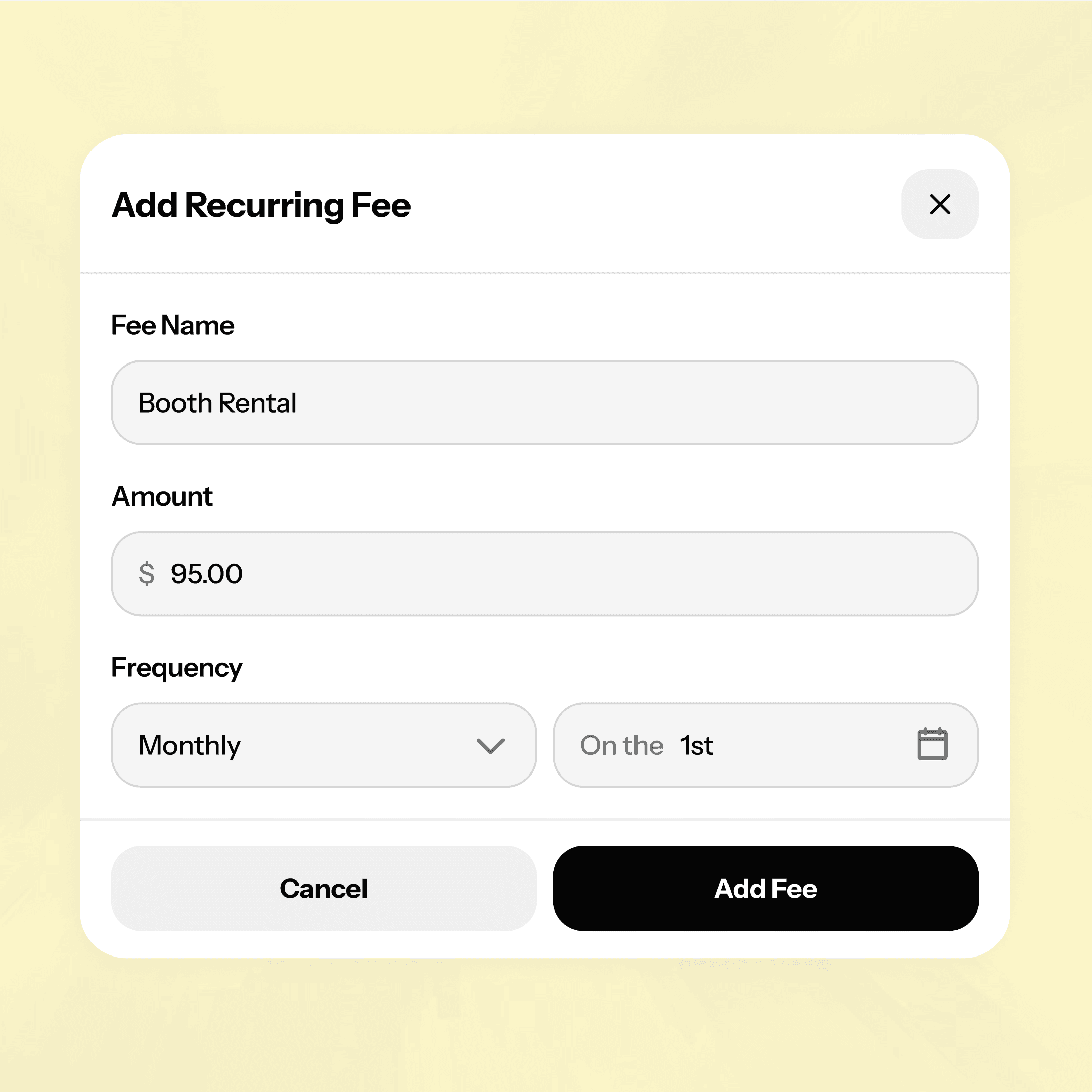
Booth rental on autopilot
Stop chasing down booth fees. Set a recurring fee once — weekly, biweekly, or monthly — and ConsignCloud deducts it from the vendor's balance automatically. It shows up clearly on their payout receipt so there are never any surprises.
Scheduled weekly or monthly fees
Auto-deducted from vendor balance
Itemized on payout receipts
Booth rental on autopilot
Stop chasing down booth fees. Set a recurring fee once — weekly, biweekly, or monthly — and ConsignCloud deducts it from the vendor's balance automatically. It shows up clearly on their payout receipt so there are never any surprises.
Scheduled weekly or monthly fees
Auto-deducted from vendor balance
Itemized on payout receipts
Payouts made easy
When it's time to pay your vendors, you can settle accounts one at a time or all at once. Every vendor gets a clear receipt and you get your afternoon back.
Individual or bulk vendor payouts
Optional per-payout processing fees
Automatic payout receipts
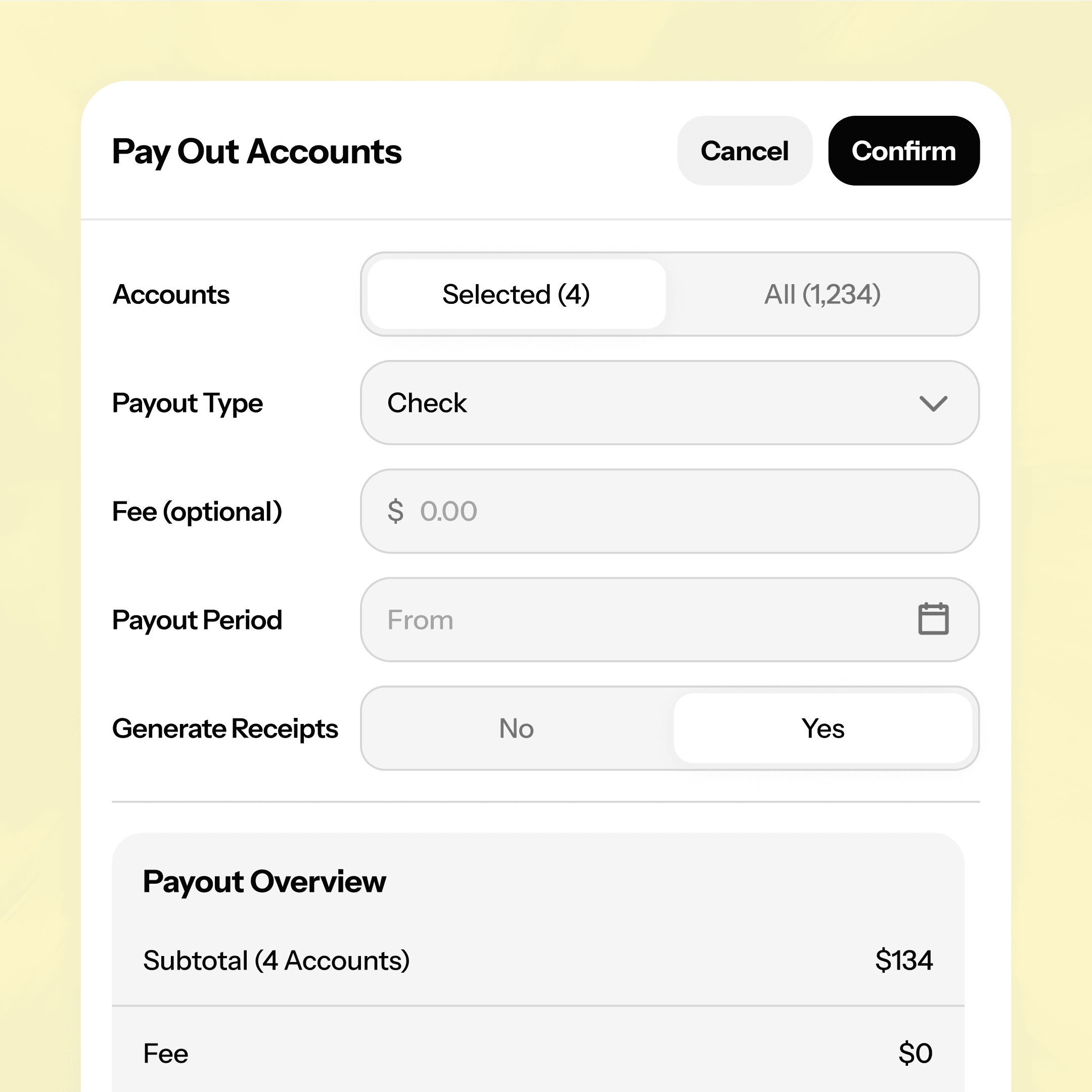
Payouts made easy
When it's time to pay your vendors, you can settle accounts one at a time or all at once. Every vendor gets a clear receipt and you get your afternoon back.
Individual or bulk vendor payouts
Optional per-payout processing fees
Automatic payout receipts
Payouts made easy
When it's time to pay your vendors, you can settle accounts one at a time or all at once. Every vendor gets a clear receipt and you get your afternoon back.
Individual or bulk vendor payouts
Optional per-payout processing fees
Automatic payout receipts
Open your vendor mall in three steps
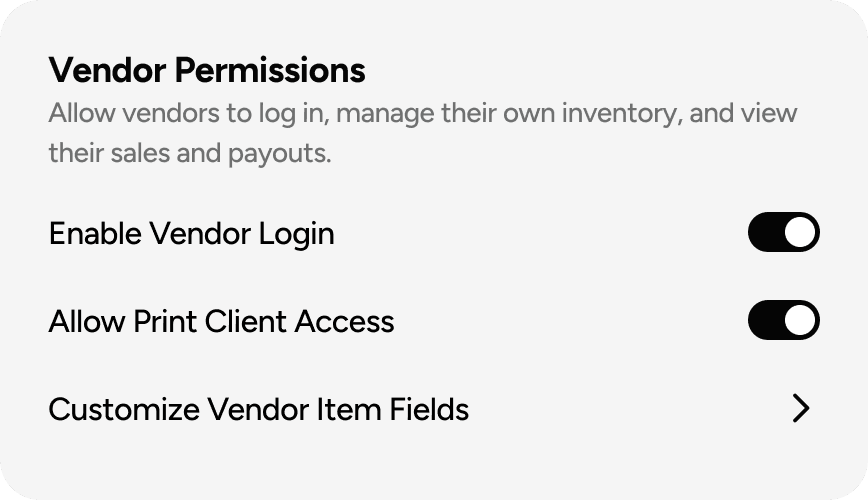
STEP 1
Set up your store
Create your ConsignCloud account and define the rules for your vendor booths — splits, item categories, fee schedules, and more.
Step 2
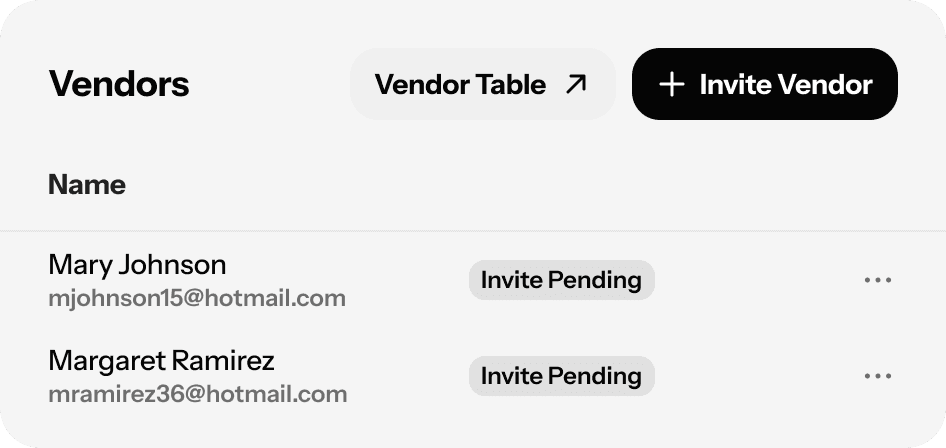
Invite your vendors
Add each vendor as an account and send them their invite link. They'll sign up, set a password, and be ready to enter inventory the same day.
Step 3
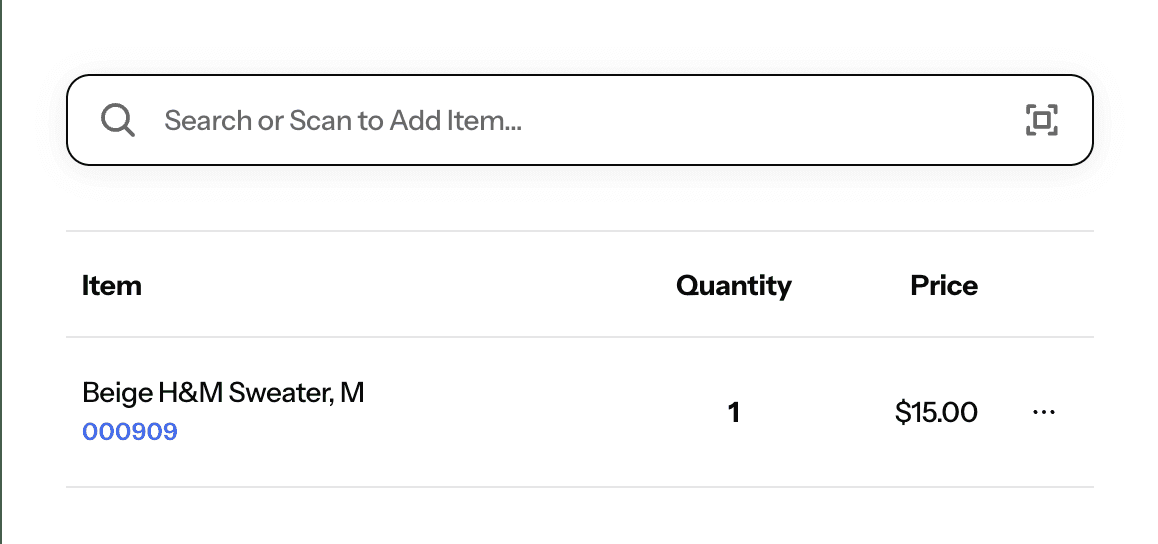
Start selling
Vendors stock their booths and manage their own items. You run checkout from a single register. ConsignCloud tracks every sale, collects every booth fee, and keeps every vendor's balance accurate automatically.
Open your vendor mall in three steps
STEP 1
Set up your store
Create your ConsignCloud account and define the rules for your vendor booths — splits, item categories, fee schedules, and more.
Step 2
Invite your vendors
Add each vendor as an account and send them their invite link. They'll sign up, set a password, and be ready to enter inventory the same day.
Step 3
Start selling
Vendors stock their booths and manage their own items. You run checkout from a single register. ConsignCloud tracks every sale, collects every booth fee, and keeps every vendor's balance accurate automatically.
Open your vendor mall in three steps
STEP 1
Set up your store
Create your ConsignCloud account and define the rules for your vendor booths — splits, item categories, fee schedules, and more.
Step 2
Invite your vendors
Add each vendor as an account and send them their invite link. They'll sign up, set a password, and be ready to enter inventory the same day.
Step 3
Start selling
Vendors stock their booths and manage their own items. You run checkout from a single register. ConsignCloud tracks every sale, collects every booth fee, and keeps every vendor's balance accurate automatically.
FAQs
Do I have to be an experienced retailer to open a vendor mall with ConsignCloud?
Not at all. ConsignCloud is designed to be approachable whether you're opening your first store or your fifth. If you're new to the industry, our onboarding team can walk you through the setup, and our Help Center covers everything from vendor logins to recurring fees in detail.
Can vendors see each other's inventory or sales?
No. Each vendor login is limited to that vendor's own items and account data only meaning they can't see other vendors' inventory, pricing, or sales figures.
How do I set up booth rental fees in ConsignCloud?
You set up a recurring fee for each vendor with a name (like "Monthly Booth Rental"), a dollar amount, and a schedule — weekly, biweekly, or monthly. ConsignCloud deducts it automatically from the vendor's balance on that schedule. You can also apply one-time fees manually if needed. Learn more about recurring fees.
Can I switch to ConsignCloud if my vendors are used to a different system?
Yes — and vendors tend to find the transition straightforward. The vendor-facing interface in ConsignCloud is clean and purpose-built for this workflow. If you're coming from another platform, our team is happy to help make the switch as smooth as possible.
How many vendors can I have in one store?
There's no hard cap on the number of vendor accounts. Whether you're running 10 booths or 1,000, ConsignCloud scales with you.
FAQs
Do I have to be an experienced retailer to open a vendor mall with ConsignCloud?
Not at all. ConsignCloud is designed to be approachable whether you're opening your first store or your fifth. If you're new to the industry, our onboarding team can walk you through the setup, and our Help Center covers everything from vendor logins to recurring fees in detail.
Can vendors see each other's inventory or sales?
No. Each vendor login is limited to that vendor's own items and account data only meaning they can't see other vendors' inventory, pricing, or sales figures.
How do I set up booth rental fees in ConsignCloud?
You set up a recurring fee for each vendor with a name (like "Monthly Booth Rental"), a dollar amount, and a schedule — weekly, biweekly, or monthly. ConsignCloud deducts it automatically from the vendor's balance on that schedule. You can also apply one-time fees manually if needed. Learn more about recurring fees.
Can I switch to ConsignCloud if my vendors are used to a different system?
Yes — and vendors tend to find the transition straightforward. The vendor-facing interface in ConsignCloud is clean and purpose-built for this workflow. If you're coming from another platform, our team is happy to help make the switch as smooth as possible.
How many vendors can I have in one store?
There's no hard cap on the number of vendor accounts. Whether you're running 10 booths or 1,000, ConsignCloud scales with you.
FAQs
Do I have to be an experienced retailer to open a vendor mall with ConsignCloud?
Not at all. ConsignCloud is designed to be approachable whether you're opening your first store or your fifth. If you're new to the industry, our onboarding team can walk you through the setup, and our Help Center covers everything from vendor logins to recurring fees in detail.
Can vendors see each other's inventory or sales?
No. Each vendor login is limited to that vendor's own items and account data only meaning they can't see other vendors' inventory, pricing, or sales figures.
How do I set up booth rental fees in ConsignCloud?
You set up a recurring fee for each vendor with a name (like "Monthly Booth Rental"), a dollar amount, and a schedule — weekly, biweekly, or monthly. ConsignCloud deducts it automatically from the vendor's balance on that schedule. You can also apply one-time fees manually if needed. Learn more about recurring fees.
Can I switch to ConsignCloud if my vendors are used to a different system?
Yes — and vendors tend to find the transition straightforward. The vendor-facing interface in ConsignCloud is clean and purpose-built for this workflow. If you're coming from another platform, our team is happy to help make the switch as smooth as possible.
How many vendors can I have in one store?
There's no hard cap on the number of vendor accounts. Whether you're running 10 booths or 1,000, ConsignCloud scales with you.



Ready to get started?
Ready to get started?
Features
Integrations
Features
Integrations
Features
Integrations