Consignment Inventory Management
Intake fast, stay organized
ConsignCloud keeps your inventory accurate, organized, and connected to your POS and accounts so you can spend less time managing and more time selling.
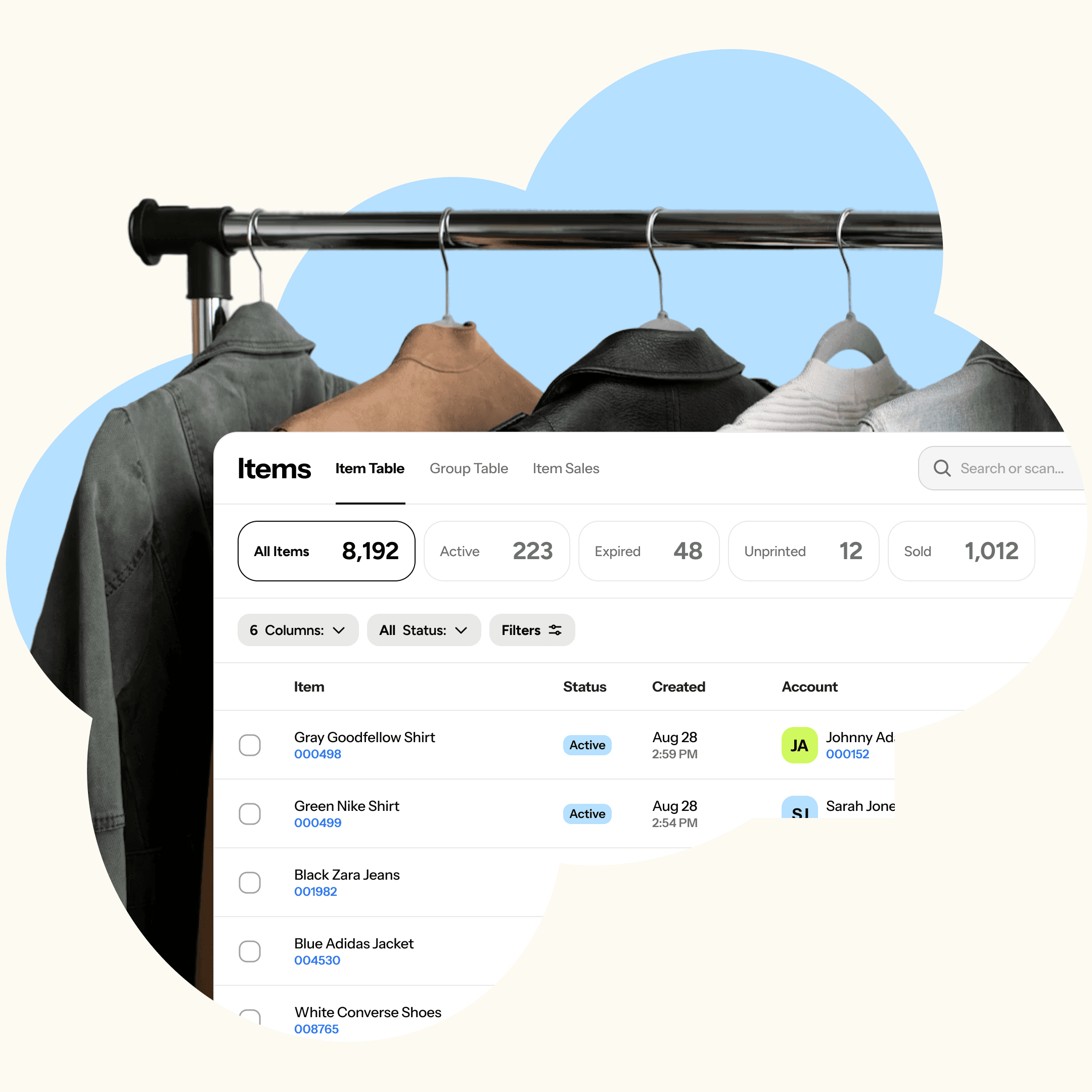
Consignment Inventory Management
Intake fast, stay organized
ConsignCloud keeps your inventory accurate, organized, and connected to your POS and accounts so you can spend less time managing and more time selling.
Consignment Inventory Management
Intake fast, stay organized
ConsignCloud keeps your inventory accurate, organized, and connected to your POS and accounts so you can spend less time managing and more time selling.
Your inventory, under control
From the moment an item is accepted to the moment it sells, ConsignCloud keeps everything tracked and connected.
Fast Item Entry
Add items in seconds with a customizable intake form. Set your default fields once
Batch Intake
Process large drops quickly with Batches — a spreadsheet-style intake tool built right into ConsignCloud, with row copying and save-as-you-go so nothing gets lost.
Label Printing on Intake
Print labels the moment an item is entered with our desktop print client.
Custom Fields
Track whatever matters to your store (condition, MSRP, or anything else) with custom fields you can create yourself.
Expiration Dates and Terms
Set consignment periods and item terms up front, so you always know what's expired, what to return, and what to donate.
Bulk Edits
Update inventory in bulk with a clear audit log so you always know what happened.
Item Performance
PRO
See which categories, brands, or item types are turning fast, which are sitting too long, and where your margins are.
Built for consignment & resale
Consignors, inventory, & sales in one system
When an item sells, your inventory, consignor accounts, and store records update together with no spreadsheets to reconcile at the end of the day.
Inventory synced with POS
Consignor accounts always current
No manual double-entry
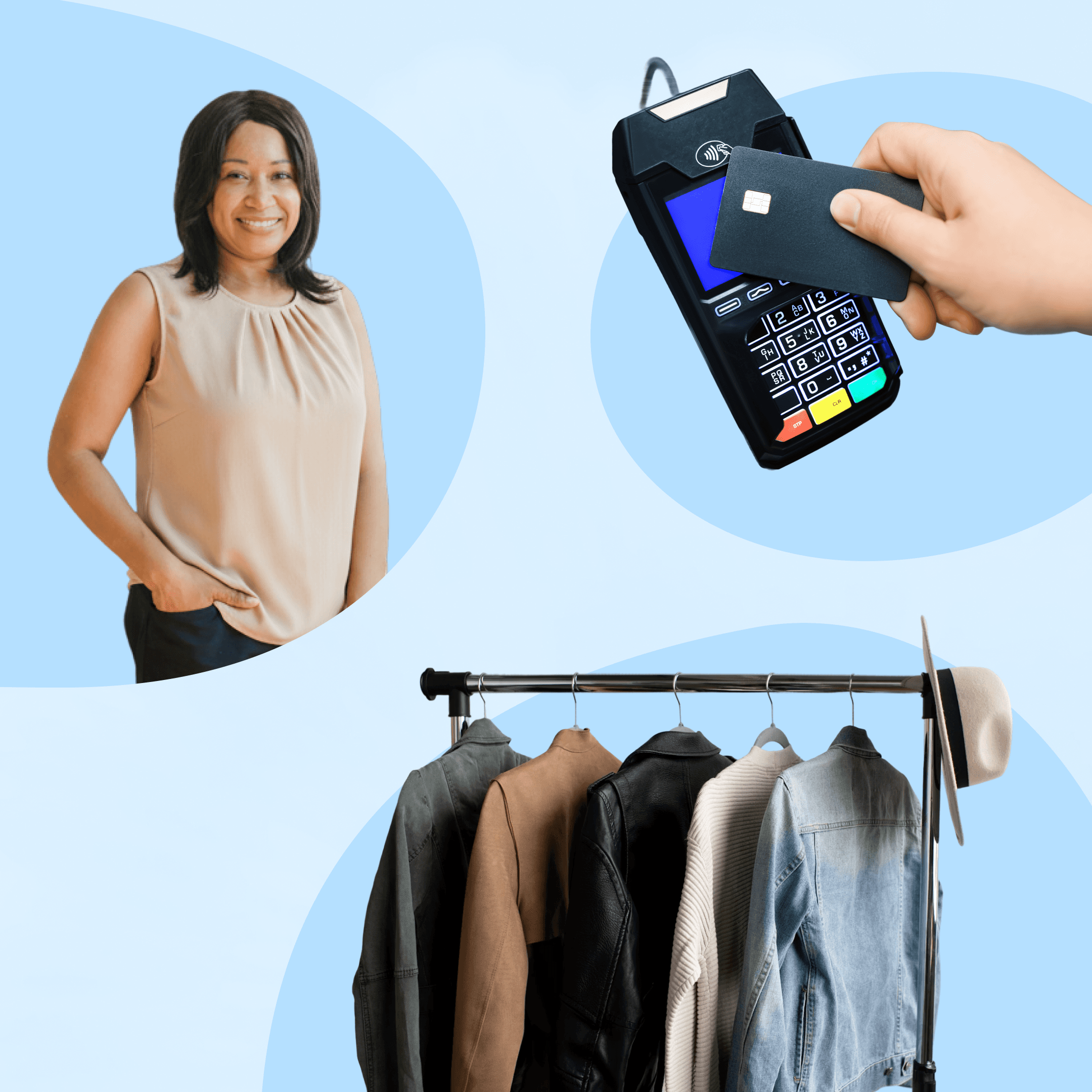
Consignors, inventory, & sales in one system
When an item sells, your inventory, consignor accounts, and store records update together with no spreadsheets to reconcile at the end of the day.
Inventory synced with POS
Consignor accounts always current
No manual double-entry
Consignors, inventory, & sales in one system
When an item sells, your inventory, consignor accounts, and store records update together with no spreadsheets to reconcile at the end of the day.
Inventory synced with POS
No manual double-entry
Intake that scales
Whether you're taking in five items or five hundred, ConsignCloud makes intake easy with keyboard shortcuts and store-wide or account level defaults.
Single-item or batch entry
Customizable default fields
Labels print automatically on intake
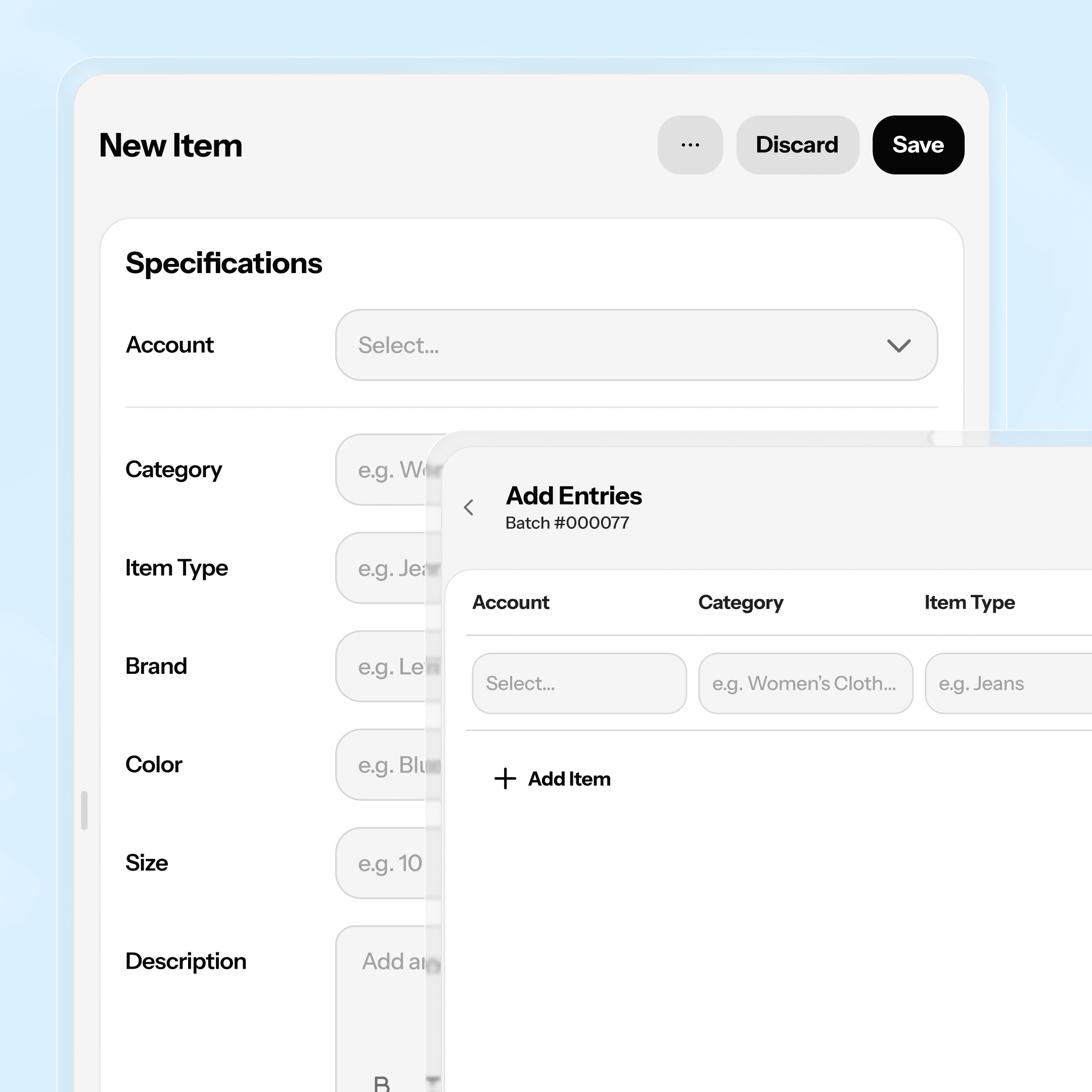
Intake that scales
Whether you're taking in five items or five hundred, ConsignCloud makes intake easy with keyboard shortcuts and store-wide or account level defaults.
Single-item or batch entry
Customizable default fields
Labels print automatically on intake
Intake that scales
Whether you're taking in five items or five hundred, ConsignCloud makes intake easy with keyboard shortcuts and store-wide or account level defaults.
Single-item or batch entry
Customizable default fields
Labels print automatically on intake
Your store's rules, built in
Set your consignor split, expiration days, category policies, and surcharges once and have them apply automatically from there.
Default splits by category or account
Automatic expiration tracking
Flexible surcharge rules
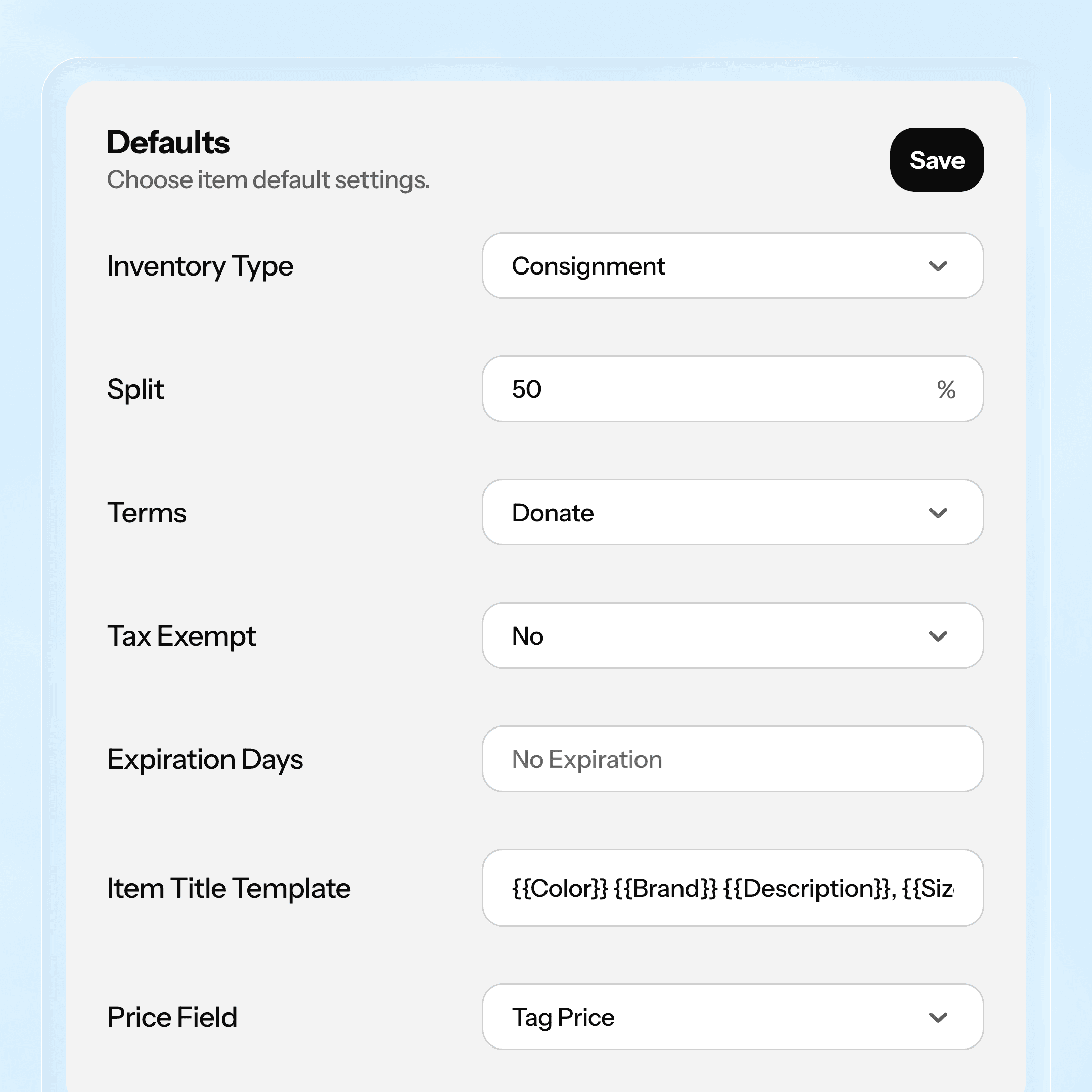
Your store's rules, built in
Set your consignor split, expiration days, category policies, and surcharges once and have them apply automatically from there.
Default splits by category or account
Automatic expiration tracking
Flexible surcharge rules
Your store's rules, built in
Set your consignor split, expiration days, category policies, and surcharges once and have them apply automatically from there.
Default splits by category or account
Automatic expiration tracking
Flexible surcharge rules
Know what's working
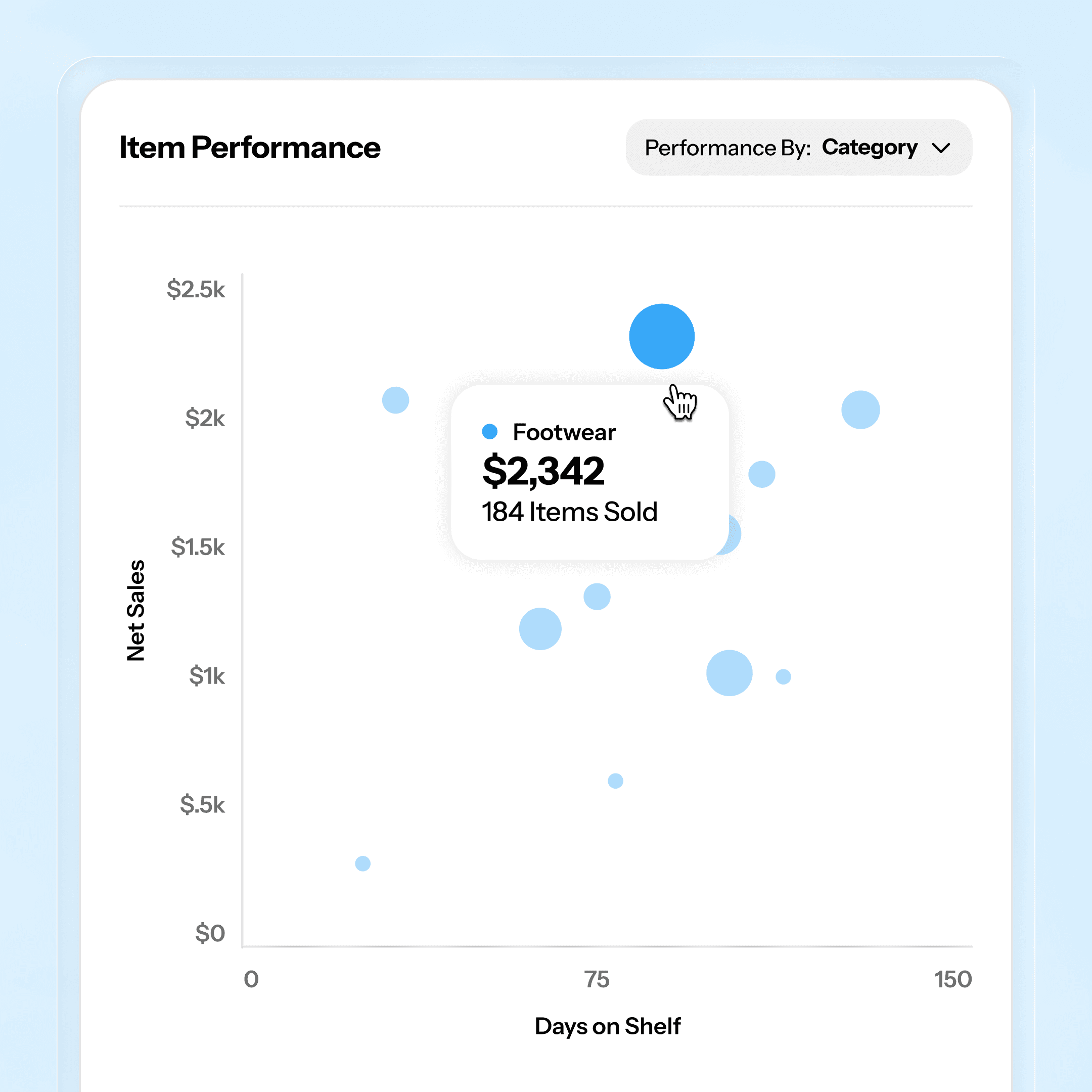
The Item Performance report PRO gives you industry standard retail analytics so you know which items and brands to seek out more of, and which to phase out.
Turnover ratio
Days on shelf
Brand, category, account, & more
Know what's working
The Item Performance report PRO gives you industry standard retail analytics so you know which items and brands to seek out more of, and which to phase out.
Turnover ratio
Days on shelf
Brand, category, account, & more
Know what's working
The Item Performance report PRO gives you industry standard retail analytics so you know which items and brands to seek out more of, and which to phase out.
Turnover ratio
Days on shelf
Brand, category, account, & more
Up and running in an afternoon
STEP 1
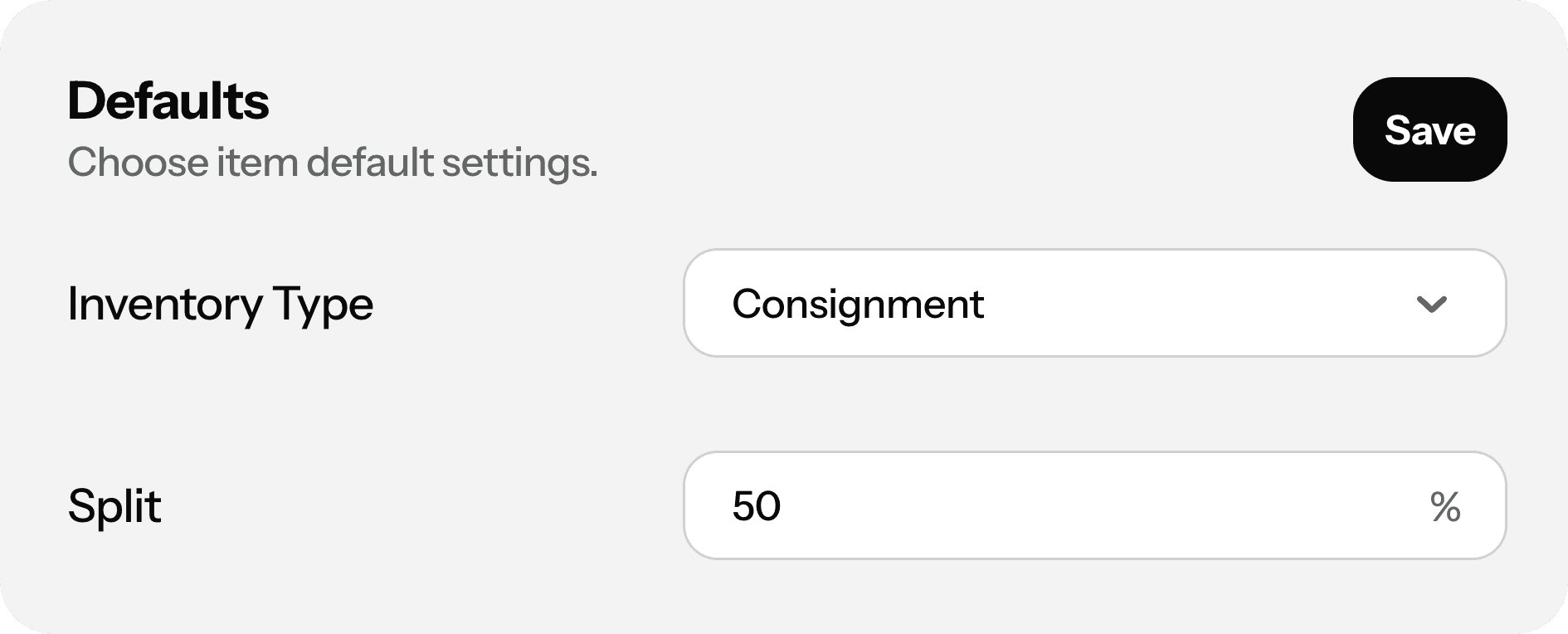
Set your defaults
Configure your store policy defaults and surcharges, design your labels, and set up your printers.
Step 2
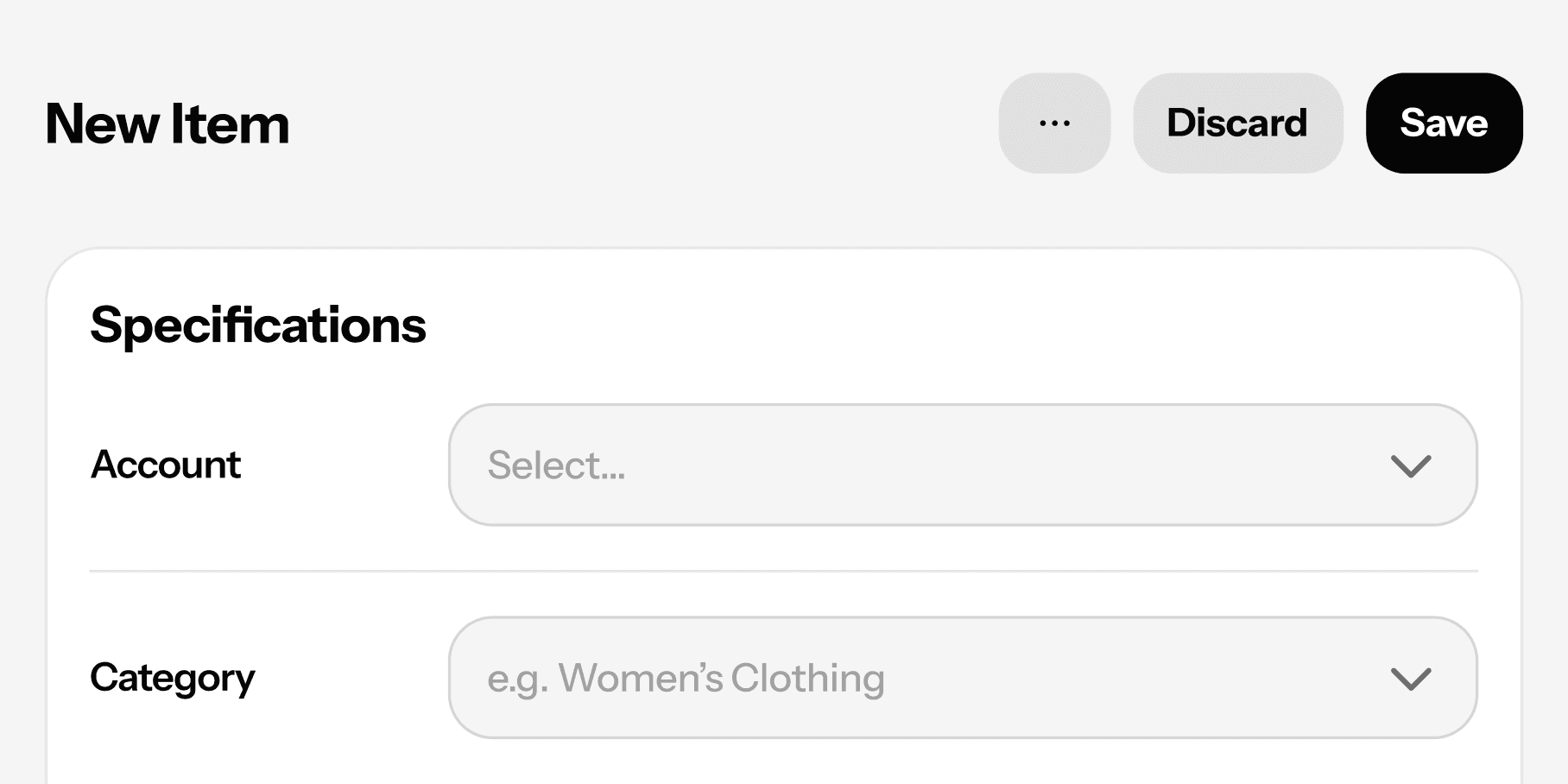
Start adding inventory
Use the item entry form for individual pieces or batches for larger drops. Labels print on intake, so items are ready to hit the floor the moment they're entered.
Step 3
Let it run
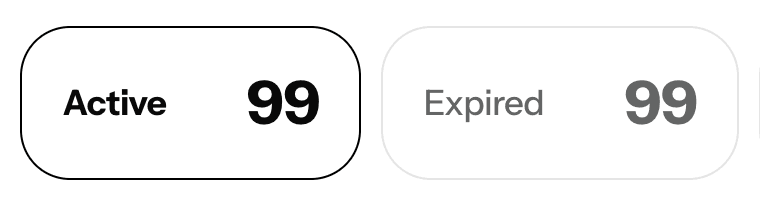
As items sell, get returned, or expire, your inventory all updates in real time with simple tools for running bulk edits, and managing expired inventory.
Up and running in an afternoon
STEP 1
Set your defaults
Configure your store policy defaults and surcharges, design your labels, and set up your printers.
Step 2
Start adding inventory
Use the item entry form for individual pieces or batches for larger drops. Labels print on intake, so items are ready to hit the floor the moment they're entered.
Step 3
Let it run
As items sell, get returned, or expire, your inventory all updates in real time with simple tools for running bulk edits, and managing expired inventory.
Up and running in an afternoon
STEP 1
Set your defaults
Configure your store policy defaults and surcharges, design your labels, and set up your printers.
Step 2
Start adding inventory
Use the item entry form for individual pieces or batches for larger drops. Labels print on intake, so items are ready to hit the floor the moment they're entered.
Step 3
Let it run
As items sell, get returned, or expire, your inventory all updates in real time with simple tools for running bulk edits, and managing expired inventory.
FAQs
Can I import inventory I already have somewhere else?
If you're moving over from a spreadsheet or another platform, reach out to our support team and we can help you get your existing inventory into ConsignCloud. Learn more.
What happens when a consignment item expires?
It stays in your inventory with an "Active" status until you decide what to do with it. Filter by expired items, then return or donate in bulk. ConsignCloud can even send an automated notification to your consignors if you have that enabled. Learn more here.
Can different categories have different consignor splits?
Yes. You can set a default split at the store level, then override it per category or per account (ConsignCloud applies whichever is most specific). See how policy settings work.
What are custom fields, and do I need them?
Custom fields let you track anything ConsignCloud doesn't have a built-in field for — like condition or MSRP. Most stores don't need them right away, but they're easy to add when you do. Learn more about adding items.
What is the Item Performance report?
It's a reporting tool that shows you how your inventory is performing (by category, brand, shelf, account, and more) using metrics like turnover ratio, net sales, and days on shelf. It's the fastest way to figure out what's selling and what's stuck.
FAQs
Can I import inventory I already have somewhere else?
If you're moving over from a spreadsheet or another platform, reach out to our support team and we can help you get your existing inventory into ConsignCloud. Learn more.
What happens when a consignment item expires?
It stays in your inventory with an "Active" status until you decide what to do with it. Filter by expired items, then return or donate in bulk. ConsignCloud can even send an automated notification to your consignors if you have that enabled. Learn more here.
Can different categories have different consignor splits?
Yes. You can set a default split at the store level, then override it per category or per account (ConsignCloud applies whichever is most specific). See how policy settings work.
What are custom fields, and do I need them?
Custom fields let you track anything ConsignCloud doesn't have a built-in field for — like condition or MSRP. Most stores don't need them right away, but they're easy to add when you do. Learn more about adding items.
What is the Item Performance report?
It's a reporting tool that shows you how your inventory is performing (by category, brand, shelf, account, and more) using metrics like turnover ratio, net sales, and days on shelf. It's the fastest way to figure out what's selling and what's stuck.
FAQs
Can I import inventory I already have somewhere else?
If you're moving over from a spreadsheet or another platform, reach out to our support team and we can help you get your existing inventory into ConsignCloud. Learn more.
What happens when a consignment item expires?
It stays in your inventory with an "Active" status until you decide what to do with it. Filter by expired items, then return or donate in bulk. ConsignCloud can even send an automated notification to your consignors if you have that enabled. Learn more here.
Can different categories have different consignor splits?
Yes. You can set a default split at the store level, then override it per category or per account (ConsignCloud applies whichever is most specific). See how policy settings work.
What are custom fields, and do I need them?
Custom fields let you track anything ConsignCloud doesn't have a built-in field for — like condition or MSRP. Most stores don't need them right away, but they're easy to add when you do. Learn more about adding items.
What is the Item Performance report?
It's a reporting tool that shows you how your inventory is performing (by category, brand, shelf, account, and more) using metrics like turnover ratio, net sales, and days on shelf. It's the fastest way to figure out what's selling and what's stuck.




Ready to get started?
Features
Integrations
Features
Integrations
Features
Integrations