
Integration
Stripe +
ConsignCloud
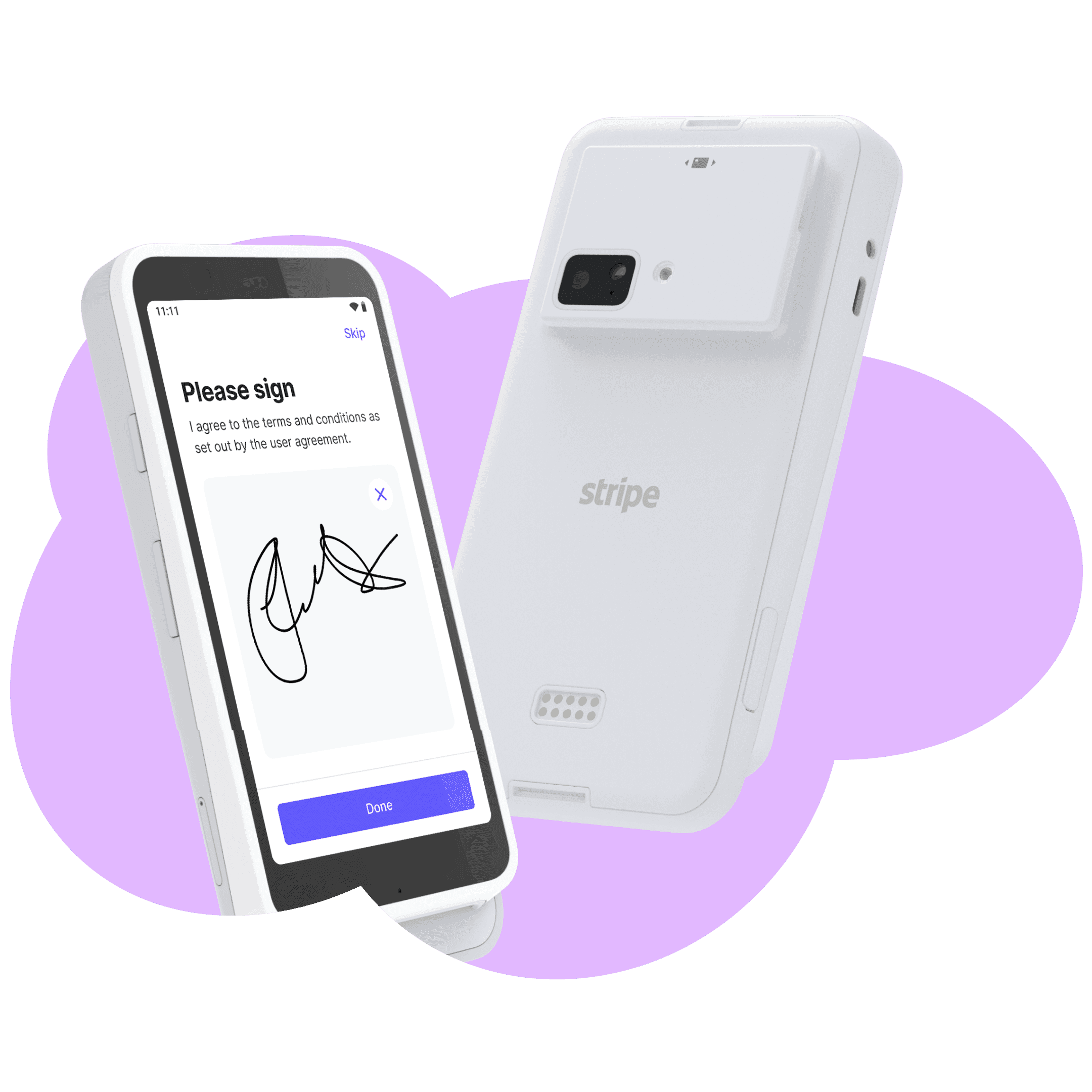
Fast and reliable checkout built right into your ConsignCloud Point of Sale.
Integration
Stripe +
ConsignCloud
Fast and reliable checkout built right into your ConsignCloud Point of Sale.
Integration
Stripe +
ConsignCloud
Fast and reliable checkout built right into your ConsignCloud Point of Sale.
Accept card payments with Stripe
Stripe handles the payment, ConsignCloud handles the sale. Together you get a seamless checkout experience built for resale.
Fully Integrated
Take payments directly through ConsignCloud with no manual typing or separate terminal workflows.
Fast, Modern Checkout
Stripe Terminal supports tap, chip, swipe, Apple Pay, and Google Pay. Transactions are processed quickly and errors are caught in real-time.
Transparent Pricing
Clear, published rates with no negotiations:
• Card-present: 2.7% + $0.05
• Online: 2.9% + $0.30
Smarter Refunds
Refunds automatically link to the original payment, helping prevent mistakes and keeping reports accurate.
Offline Mode
Keep taking payments even during network interruptions. Stripe securely stores transactions on the reader and automatically syncs them once you’re back online.
Easy Sign Up
Create a Stripe account and start taking payments immediately without any sales calls. Just sign up, connect your reader, and you’re ready to run in minutes.
Why choose Stripe?
Accept Card Payments In-Store and Online
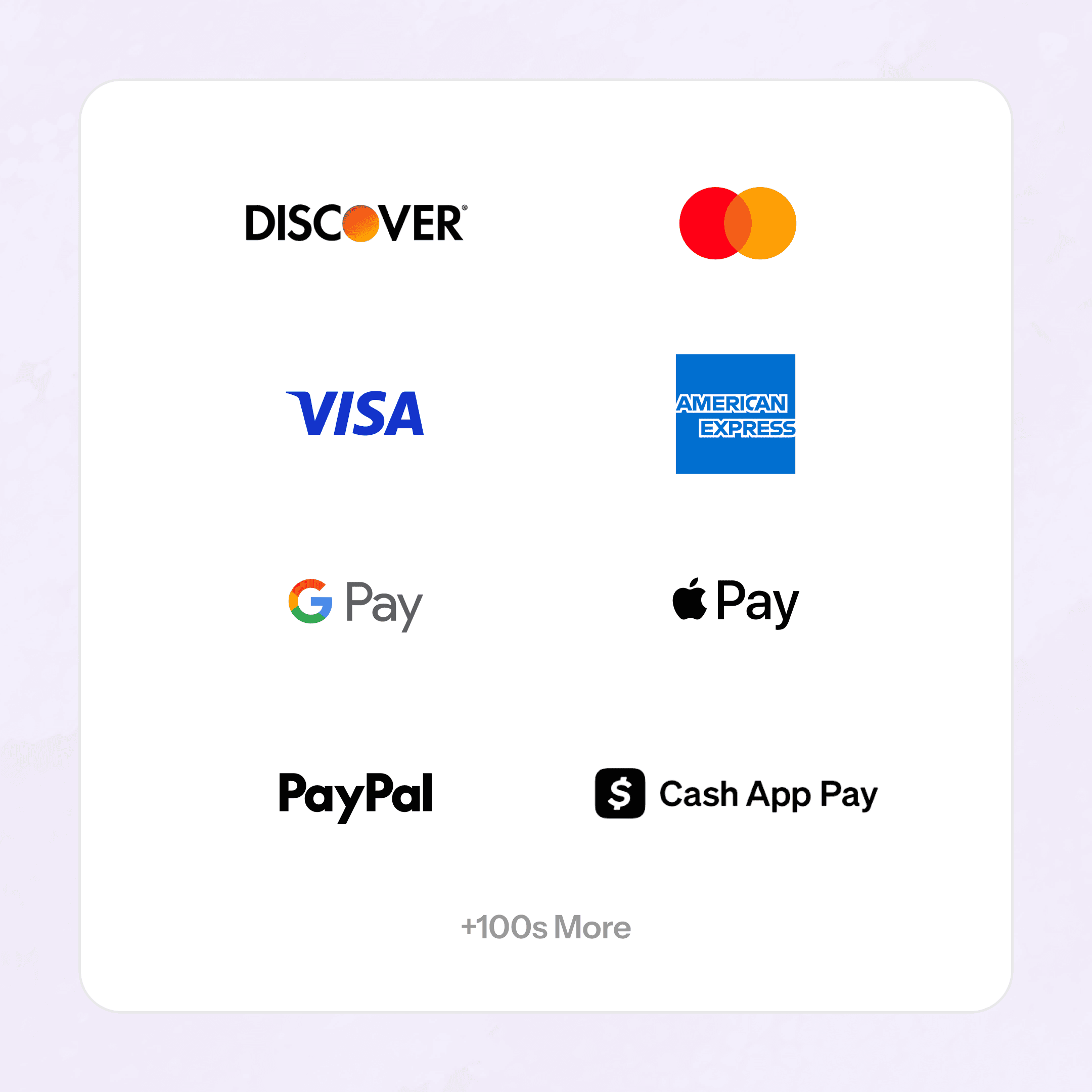
Stripe supports 100+ payment methods, so whether your customer pulls out a card, phone, or watch, you're ready.
100+ payment methods
Apple Pay & Google Pay
Tap, chip, and swipe
Accept Card Payments In-Store and Online
Stripe supports 100+ payment methods, so whether your customer pulls out a card, phone, or watch, you're ready.
100+ payment methods
Tap, chip, and swipe
Accept Card Payments In-Store and Online
Stripe supports 100+ payment methods, so whether your customer pulls out a card, phone, or watch, you're ready.
100+ payment methods
Apple Pay & Google Pay
Tap, chip, and swipe
Choose Your Terminal
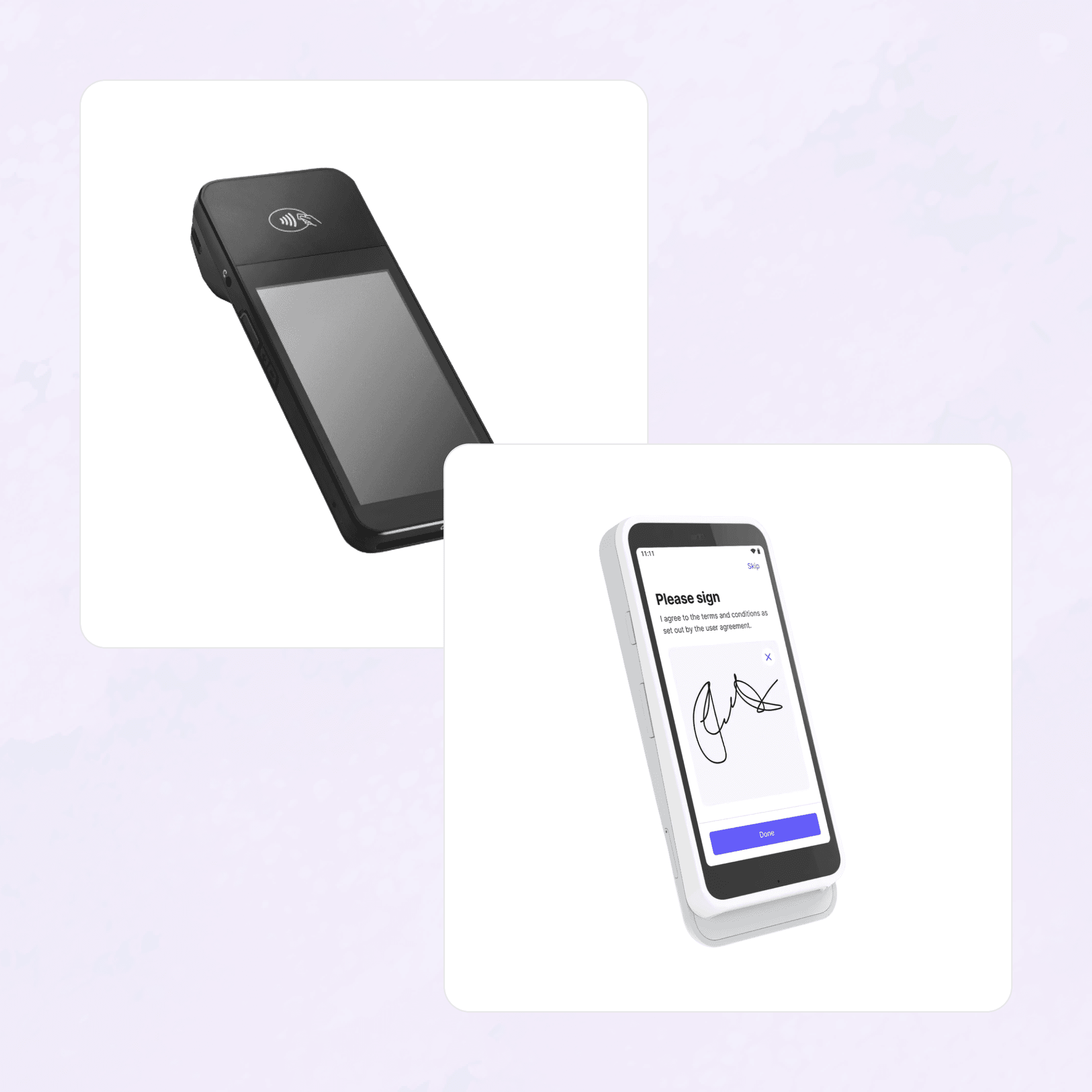
Choose the reader that fits your counter — both are Stripe-certified, work with ConsignCloud out of the box, and avoid printer conflicts with your existing POS hardware.
BBPOS WisePOS E — $249
Stripe Reader S700 — $299
Choose Your Terminal
Choose the reader that fits your counter — both are Stripe-certified, work with ConsignCloud out of the box, and avoid printer conflicts with your existing POS hardware.
BBPOS WisePOS E — $249
Stripe Reader S700 — $299
Choose Your Terminal
Choose the reader that fits your counter — both are Stripe-certified, work with ConsignCloud out of the box, and avoid printer conflicts with your existing POS hardware.
BBPOS WisePOS E — $249
Stripe Reader S700 — $299
Proven at Scale
Stripe is trusted by millions of businesses worldwide — from neighborhood shops to global brands — processing hundreds of billions of dollars every year.
Powers 1.6% of global GDP
99.999% uptime
24/7 support access

Proven at Scale
Stripe is trusted by millions of businesses worldwide — from neighborhood shops to global brands — processing hundreds of billions of dollars every year.
Powers 1.6% of global GDP
99.999% uptime
24/7 support access
Proven at Scale
Stripe is trusted by millions of businesses worldwide — from neighborhood shops to global brands — processing hundreds of billions of dollars every year.
Powers 1.6% of global GDP
99.999% uptime
24/7 support access
How to connect Stripe
Setup takes just a few minutes, and your terminals appear automatically in ConsignCloud.
STEP 1
Create your Stripe account
In ConsignCloud, go to Settings → Point of Sale and click "Integrate Stripe" then follow the steps to create and connect your Stripe account.
Step 2
Set Up Your Stripe Terminal and Location
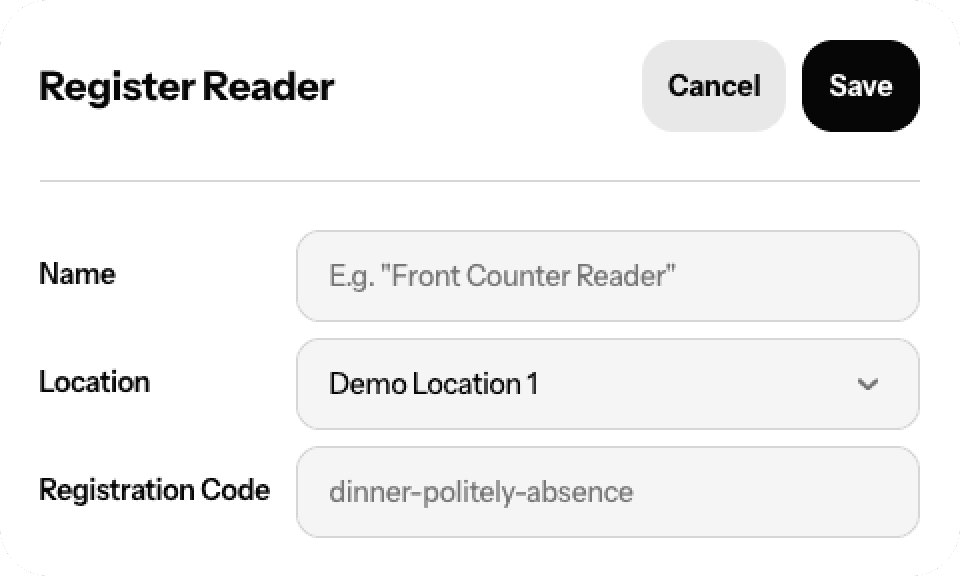
Purchase a compatible Stripe credit card terminal (Stripe Reader S700 or BBPOS WisePOS E) and, once it arrives, add a Location in your Stripe Dashboard. Then register your terminal in ConsignCloud by generating and entering the pairing code.
Step 3
Start taking payments
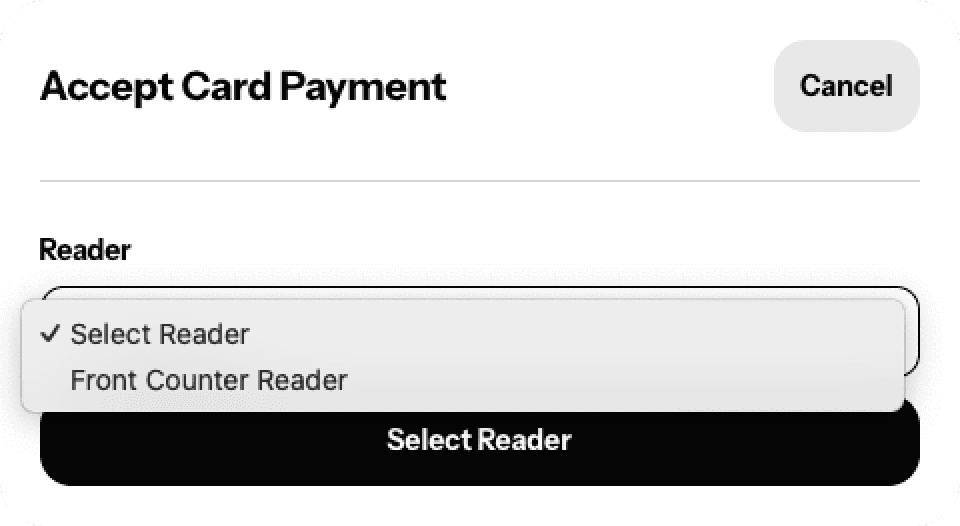
In the POS, ring up sales as usual and select Debit/Credit as the payment method. Choose your registered reader, and the Stripe terminal will prompt the customer to tap, insert, or swipe to complete the transaction.
How to connect Stripe
Setup takes just a few minutes, and your terminals appear automatically in ConsignCloud.
STEP 1
Create your Stripe account
In ConsignCloud, go to Settings → Point of Sale and click "Integrate Stripe" then follow the steps to create and connect your Stripe account.
Step 2
Set Up Your Stripe Terminal and Location
Purchase a compatible Stripe credit card terminal (Stripe Reader S700 or BBPOS WisePOS E) and, once it arrives, add a Location in your Stripe Dashboard. Then register your terminal in ConsignCloud by generating and entering the pairing code.
Step 3
Start taking payments
In the POS, ring up sales as usual and select Debit/Credit as the payment method. Choose your registered reader, and the Stripe terminal will prompt the customer to tap, insert, or swipe to complete the transaction.
How to connect Stripe
Setup takes just a few minutes, and your terminals appear automatically in ConsignCloud.
STEP 1
Create your Stripe account
In ConsignCloud, go to Settings → Point of Sale and click "Integrate Stripe" then follow the steps to create and connect your Stripe account.
Step 2
Set Up Your Stripe Terminal and Location
Purchase a compatible Stripe credit card terminal (Stripe Reader S700 or BBPOS WisePOS E) and, once it arrives, add a Location in your Stripe Dashboard. Then register your terminal in ConsignCloud by generating and entering the pairing code.
Step 3
Start taking payments
In the POS, ring up sales as usual and select Debit/Credit as the payment method. Choose your registered reader, and the Stripe terminal will prompt the customer to tap, insert, or swipe to complete the transaction.
FAQs
Which card readers work with Stripe?
ConsignCloud supports two Stripe-certified terminals: the BBPOS WisePOS E ($249) and the Stripe Reader S700 ($299). Both are purchased directly through Stripe and typically ship to U.S. destinations within a week. See Stripe's Terminal page for the most current pricing and availability.
Is Stripe available for all ConsignCloud users?
Integrated card processing via Stripe is available for all stores using ConsignCloud's POS in Next-Gen ConsignCloud.
Do I need a separate Stripe account?
Yes, Stripe accounts are created and managed through Stripe directly, but you can kick off the sign-up process right inside ConsignCloud. Once linked, your ConsignCloud store and Stripe account stay connected automatically. If you need help with your Stripe account after setup, Stripe's support team is available 24/7.
What does Stripe charge per transaction?
Card-present (in-person) transactions run at 2.7% + $0.05 per successful transaction for domestic cards. There are no monthly fees from Stripe for the terminal integration itself. For full pricing details, check Stripe's Terminal pricing page.
What happens if my internet goes down during a sale?
Stripe's offline mode keeps you up and running. The reader securely stores the transaction and syncs it automatically once your connection is restored.
FAQs
Which card readers work with Stripe?
ConsignCloud supports two Stripe-certified terminals: the BBPOS WisePOS E ($249) and the Stripe Reader S700 ($299). Both are purchased directly through Stripe and typically ship to U.S. destinations within a week. See Stripe's Terminal page for the most current pricing and availability.
Is Stripe available for all ConsignCloud users?
Integrated card processing via Stripe is available for all stores using ConsignCloud's POS in Next-Gen ConsignCloud.
Do I need a separate Stripe account?
Yes, Stripe accounts are created and managed through Stripe directly, but you can kick off the sign-up process right inside ConsignCloud. Once linked, your ConsignCloud store and Stripe account stay connected automatically. If you need help with your Stripe account after setup, Stripe's support team is available 24/7.
What does Stripe charge per transaction?
Card-present (in-person) transactions run at 2.7% + $0.05 per successful transaction for domestic cards. There are no monthly fees from Stripe for the terminal integration itself. For full pricing details, check Stripe's Terminal pricing page.
What happens if my internet goes down during a sale?
Stripe's offline mode keeps you up and running. The reader securely stores the transaction and syncs it automatically once your connection is restored.
FAQs
Which card readers work with Stripe?
ConsignCloud supports two Stripe-certified terminals: the BBPOS WisePOS E ($249) and the Stripe Reader S700 ($299). Both are purchased directly through Stripe and typically ship to U.S. destinations within a week. See Stripe's Terminal page for the most current pricing and availability.
Is Stripe available for all ConsignCloud users?
Integrated card processing via Stripe is available for all stores using ConsignCloud's POS in Next-Gen ConsignCloud.
Do I need a separate Stripe account?
Yes, Stripe accounts are created and managed through Stripe directly, but you can kick off the sign-up process right inside ConsignCloud. Once linked, your ConsignCloud store and Stripe account stay connected automatically. If you need help with your Stripe account after setup, Stripe's support team is available 24/7.
What does Stripe charge per transaction?
Card-present (in-person) transactions run at 2.7% + $0.05 per successful transaction for domestic cards. There are no monthly fees from Stripe for the terminal integration itself. For full pricing details, check Stripe's Terminal pricing page.
What happens if my internet goes down during a sale?
Stripe's offline mode keeps you up and running. The reader securely stores the transaction and syncs it automatically once your connection is restored.



Ready to get started?
Ready to get started?
Features
Integrations
Features
Integrations
Features
Integrations