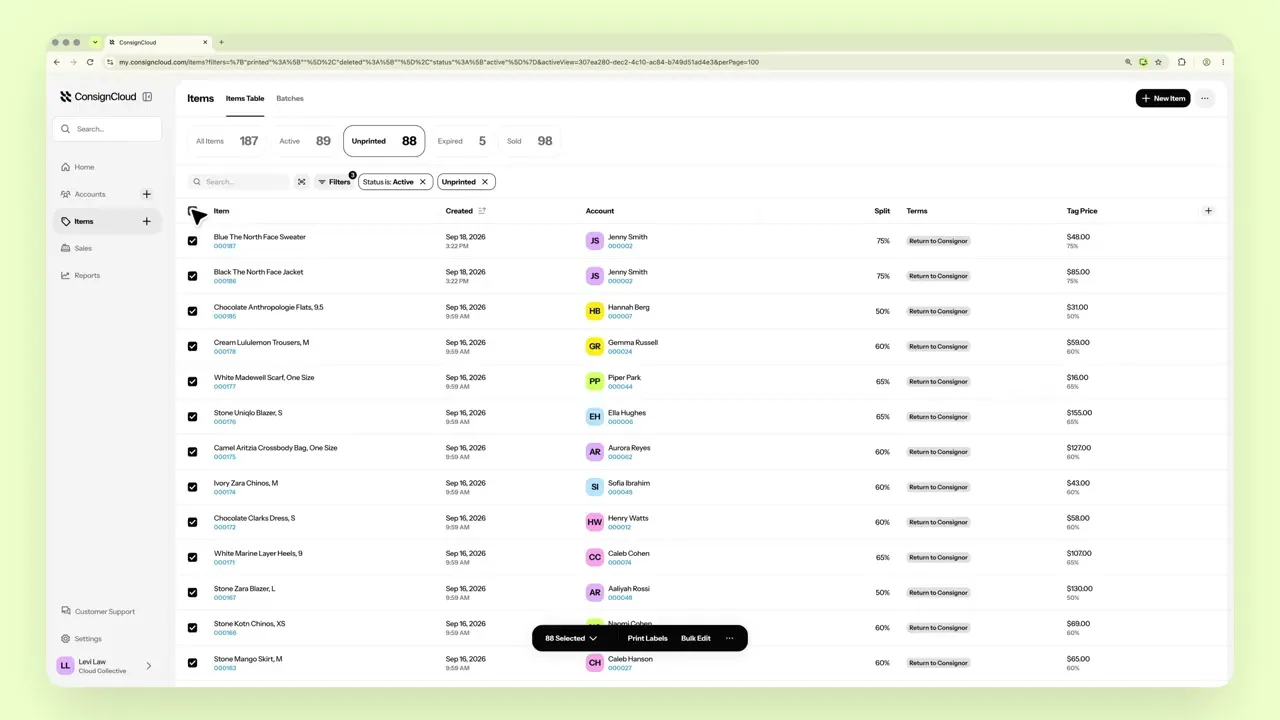
Label Printing
Design, print, tag
Design custom item labels and print them on DYMO or Zebra printers in seconds.
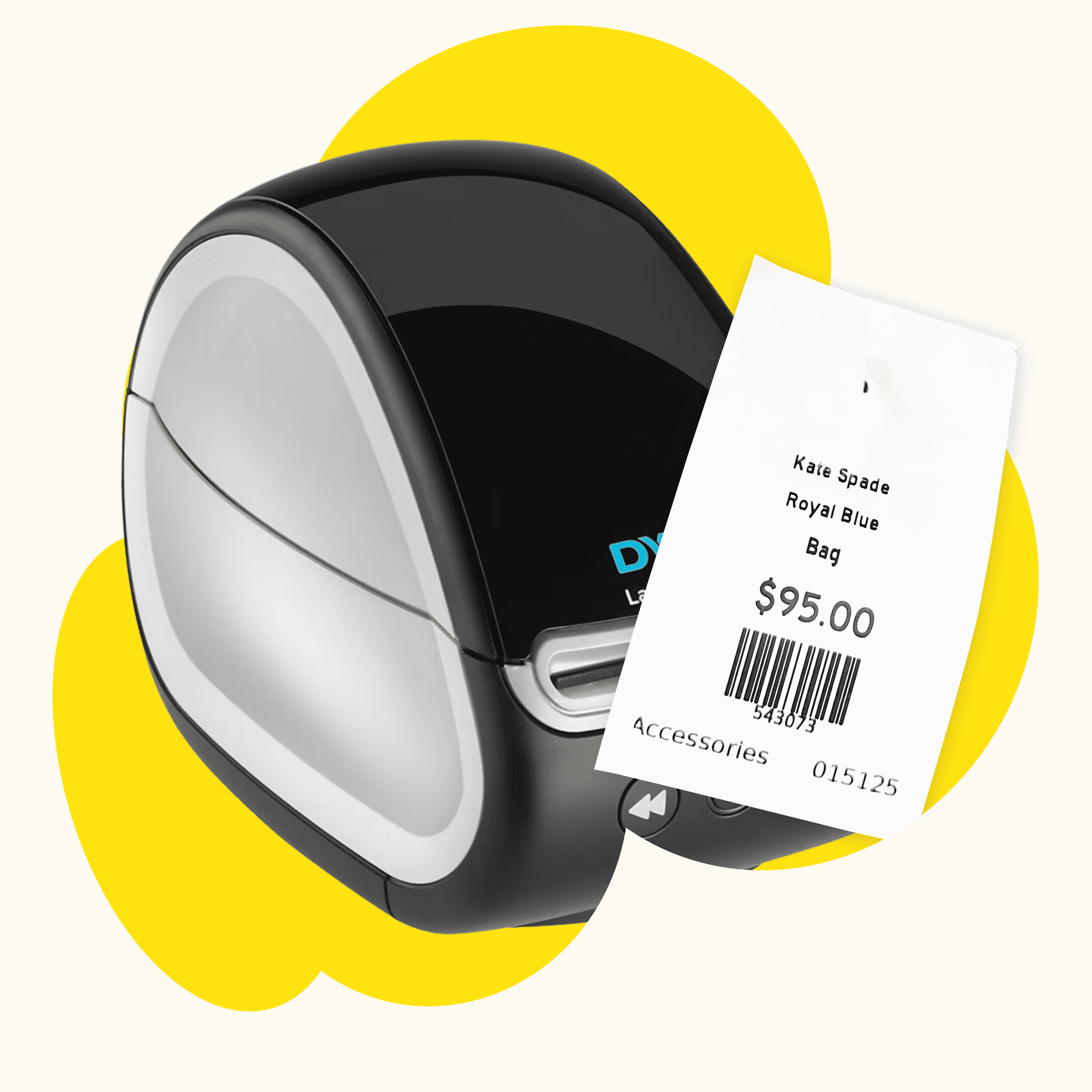
Label Printing
Design, print, tag
Design custom item labels and print them on DYMO or Zebra printers in seconds.
Label Printing
Design, print, tag
Design custom item labels and print them on DYMO or Zebra printers in seconds.
Easy label printing
Tags that look like your store and scan every time.
Fully-Custom Label Designer
Add your logo, prices, barcodes, and more.
Any Label Size
Adjust the dimensions to fit any size label.
Templates
Copy an existing label as the starting point for a new one.
Discount Schedules
Print the item’s discount schedule right on the tag.
DYMO and Zebra Support
Works with any printer that is compatible with your computer.
Scannable Barcodes
Every label scans straight into the POS.
How to get started with label printing
Watch a quick walkthrough from ConsignCloud Academy.
How to get started with label printing
Watch a quick walkthrough from ConsignCloud Academy.
How to get started with label printing
Watch a quick walkthrough from ConsignCloud Academy.
FAQs
Which label printers work with ConsignCloud?
ConsignCloud will work with any printer that is compatible with your computer. For label printing, we typically recommend DYMO LabelWriter and Zebra label printers.
Can I put my logo on labels?
Yes. The label designer lets you add your logo, prices, barcodes, and more.
Where do I create a label?
Go to Settings → Label Printing and click Add Label.
FAQs
Which label printers work with ConsignCloud?
ConsignCloud will work with any printer that is compatible with your computer. For label printing, we typically recommend DYMO LabelWriter and Zebra label printers.
Can I put my logo on labels?
Yes. The label designer lets you add your logo, prices, barcodes, and more.
Where do I create a label?
Go to Settings → Label Printing and click Add Label.
FAQs
Which label printers work with ConsignCloud?
ConsignCloud will work with any printer that is compatible with your computer. For label printing, we typically recommend DYMO LabelWriter and Zebra label printers.
Can I put my logo on labels?
Yes. The label designer lets you add your logo, prices, barcodes, and more.
Where do I create a label?
Go to Settings → Label Printing and click Add Label.


Ready to get started?
Ready to get started?
Product
Store Models
Store Types
© 2026 ConsignCloud LLC. All Rights Reserved.
Product
Store Models
Store Types
© 2026 ConsignCloud LLC. All Rights Reserved.
Product
Store Models
Store Types
© 2026 ConsignCloud LLC. All Rights Reserved.